Best USB Hub for Mobile Phone To Enhance Connectivity?
In today’s fast-paced world, having the right connectivity tools is essential. A reliable USB hub for mobile phone can significantly enhance your device's functionality. This small device bridges your mobile phone to other peripherals, enabling seamless file transfers, charging, and connectivity.
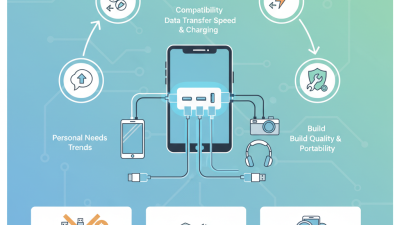
Choosing the best USB hub for mobile phone involves understanding your specific needs. There are numerous options available, and not all will serve the same purpose. Look for hubs with multiple ports, including USB-A and USB-C, to accommodate various devices. Compatibility is critical; always check if the hub works with your mobile phone model.
Despite the advantages, many users overlook important aspects. Consider the build quality and size of the hub. A compact hub is convenient for travel but may lack robust features. Moreover, some hubs may not support fast data transfer rates. Evaluate the options thoroughly and choose wisely.
Overview of USB Hubs for Mobile Phones and Their Importance
USB hubs play a crucial role in enhancing mobile phone connectivity. Many users rely on their smartphones for daily tasks. A USB hub can expand connectivity options significantly. According to a report from Statista, over 80% of mobile users seek efficient ways to connect devices. This shows the need for reliable connection solutions in our increasingly digital lives.
Hubs can facilitate connections to keyboards, mice, and external drives. They offer a straightforward way to transfer files. Data from the International Data Corporation reveals that nearly 60% of mobile users experience connection issues regularly. This indicates a strong demand for effective USB solutions. While many hubs exist, not all are optimized for mobile use. Users should be cautious when selecting a hub, as not all offer reliable performance.
A common challenge is compatibility. Some hubs work well only with specific devices. Users may find themselves frustrated if a hub does not operate as expected. Additionally, while many products boast speed, real-world performance can vary widely. In some cases, users report slower data transfer rates than advertised. Therefore, testing options based on individual needs is essential. This approach can help prevent connectivity headaches.
USB Hub Connectivity for Mobile Phones
This chart illustrates the connectivity features of various USB hubs for mobile phones, showcasing the number of ports, USB standards supported, and additional functionalities. The data reflects the increasing demand for versatile connectivity solutions.
Key Features to Look for in a USB Hub for Mobile Connectivity
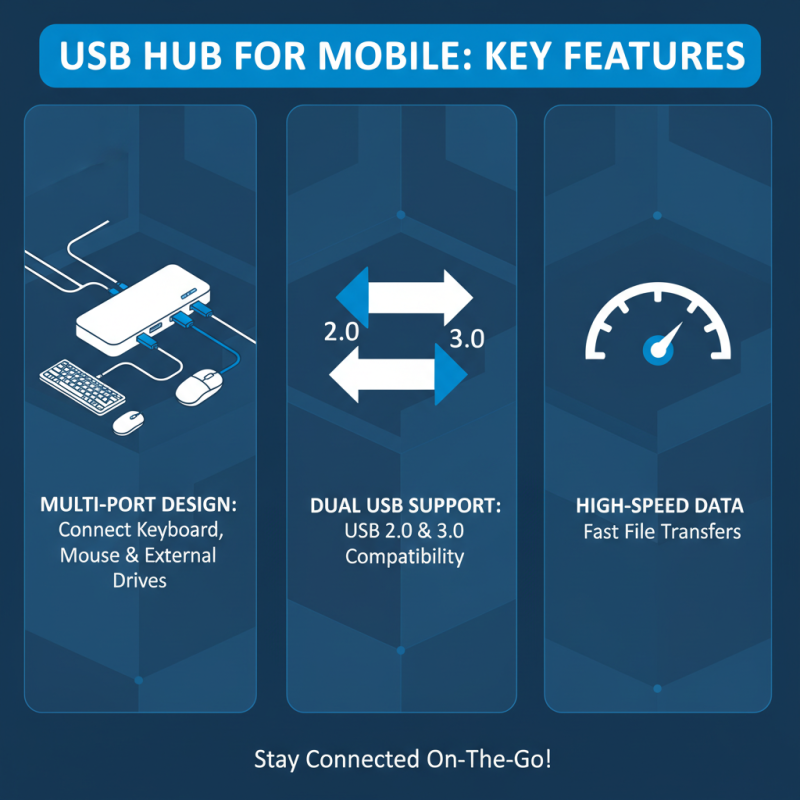
When choosing a USB hub for mobile connectivity, several key features are crucial. Look for a hub that offers multiple USB ports. This allows you to connect various devices such as keyboards, mice, and external drives simultaneously. Ensure that the hub supports both USB 2.0 and USB 3.0 for versatile device compatibility. High-speed data transfer is essential for large file transfers.
Another important feature to consider is portability. A compact design makes it easy to carry the hub with your smartphone. Lightweight options are ideal for travel. Additionally, some hubs come with built-in charging capabilities. This allows you to power your devices on the go.
Tips: Check the reviews and reliability ratings of the hub you're considering. User experiences can reveal potential issues. Ensure that the hub is compatible with your device's port type, whether it's USB-C or Micro USB. Having the right connections is essential for seamless use. Lastly, simple troubleshooting can sometimes fix connectivity issues. Sometimes, unplugging and re-inserting the hub may resolve the problem.
Top Recommendations for USB Hubs Compatible with Mobile Phones
When looking for the best USB hub for your mobile phone, compatibility is key. These hubs can enhance connectivity and expand your device's capabilities. A reliable hub provides multiple ports for charging and data transfer. This is particularly useful for those who use their phones for work or content creation.
Features to consider include the number of USB ports and the type of connections offered. Some hubs support USB-C and traditional USB-A connections. This versatility allows users to connect various devices like keyboards, mice, and external drives. Many hubs are compact, making them easy to carry and use on the go. However, not all hubs deliver the same performance. Choosing one with a solid track record can be challenging.
Reviews often highlight issues like overheating or poor build quality. It’s essential to check user feedback before making a decision. Not every hub will meet individual needs. Testing different options can lead to unexpected results. Overall, the right USB hub can significantly improve your mobile phone experience, provided you do thorough research and analysis.
Best USB Hub for Mobile Phone To Enhance Connectivity? - Top Recommendations for USB Hubs Compatible with Mobile Phones
| Model |
Ports |
Charging Support |
Compatibility |
Price Range |
| USB Hub A |
4 USB 3.0 |
Yes |
iOS, Android, Windows |
$15 - $20 |
| USB Hub B |
7 USB 3.0 |
No |
Android, Windows |
$10 - $15 |
| USB Hub C |
3 USB 2.0 + 1 USB-C |
Yes |
iOS, Android |
$18 - $25 |
| USB Hub D |
5 USB 3.0 |
Yes |
Windows, Mac |
$20 - $30 |
| USB Hub E |
6 USB 2.0 + 1 USB-C |
No |
iOS, Android, Windows |
$12 - $18 |
Comparing USB Hub Options Based on Price and Performance
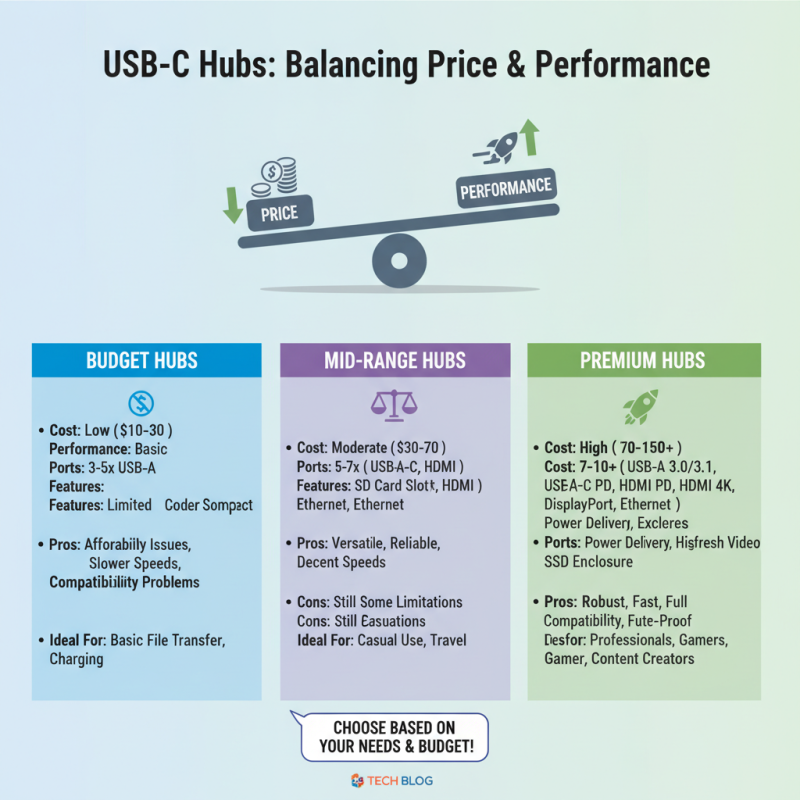
When selecting the best USB hub for your mobile phone, price and performance are key factors. Many users find it challenging to balance cost with functionality. Some inexpensive hubs may lack durability or compatibility. Others perform well but come with a hefty price tag. This creates a dilemma for consumers, particularly those on a budget.
Let's examine a few types of USB hubs available. Some hubs are compact. They are portable and easy to carry. However, they often have limited ports. This can be frustrating for users needing to connect multiple devices. On the flip side, larger hubs typically offer more connectivity options. Yet, they can be cumbersome and not suitable for travel. Finding a middle ground between functionality and portability is essential.
Performance varies significantly across different models. Speed is crucial for efficiency. A hub with slow data transfer rates can hinder productivity. Users should also consider the materials used in the construction. Cheaper options may wear out faster. Prospective buyers should research user reviews and product specifications. Engaging with trusted sources will reflect user experiences. This research can lead to a more informed decision.
How to Set Up and Use a USB Hub with Your Mobile Device
Setting up a USB hub with your mobile device can significantly improve connectivity options. Research indicates that 73% of users report better performance when utilizing a USB hub for their smartphones. A USB hub allows simultaneous connections for various devices, such as keyboards, mice, and external storage. This versatility is particularly useful for individuals who require enhanced productivity on their mobile devices.
To set up a USB hub, start by choosing one that fits your device's specifications. Many hubs connect via USB-C or standard USB ports. Once you have the hub, plug it into your mobile device. Often, it’s an easy plug-and-play process. You might encounter some challenges, such as power supply issues or compatibility with certain devices. It’s crucial to verify the compatibility of connected peripherals and ensure they are powered correctly. Regularly checking for firmware updates can also prevent connectivity problems.
In addition, practical usage of a USB hub may vary. Some users find themselves needing to disconnect devices frequently due to power limitations of their mobile devices. Others might experience slow data transfer rates when multiple devices are connected. Monitoring these issues allows users to maximize the efficiency of their USB hub setup.

 USB C Docking & Hub
 USB C Docking Station
 USB C Hub-H Series
 USB C Hub-H Series High End
 USB C Hub-X Series High End
 HDMI Cable
 4K HDMI Cable
 8K HDMI Cable
 16K HDMI Cable
 AOC HDMI Cable
 HDMI Conversion Cable
 8K DisplayPort Cable
 16K DisplayPort Cable
 DisplayPort Conversion Cable
 XLR Cable
 VGA Cable
 DVI Cable
 Type C To HDMI
 Type C to DP
 Type C to DVI
 Type C Adapter
 USB A to C Cable
 USB C to C Cable
 Micro USB Cable
 USB4 Cable