7 Best USB Hubs for Mobile Phones in 2026?
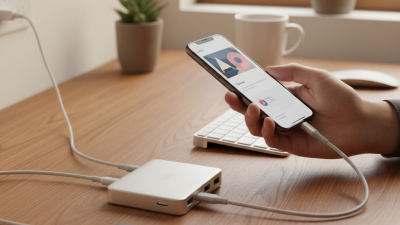
Choosing the right Usb Hub For Mobile Phone is no longer a minor accessory decision. Modern phones connect to flash drives, microphones, displays, game controllers, and memory cards. A poor hub can interrupt charging or cause unstable data transfers.
IDC’s Worldwide Quarterly Mobile Phone Tracker reported approximately 1.23 billion smartphone shipments in 2024. That enormous installed base supports growing demand for compact USB-C connectivity. Meanwhile, USB-IF’s USB4 Version 2.0 specification supports data rates up to 80Gbps under compatible conditions. Those numbers sound impressive. However, a phone may not support every advertised speed.
Jeff Ravencraft, president and CEO of the USB Implementers Forum, said, “Consumers can easily identify USB Type-C cables that support the performance and power capabilities they require.” His comment highlights an important testing principle. A hub’s printed specifications are only the beginning. Real performance depends on the phone, cable, charger, operating system, and connected devices.
This guide compares seven leading options for travel, office work, photography, gaming, and everyday charging. Each model is assessed for port selection, power delivery, transfer performance, heat management, build quality, and phone compatibility. Small details matter. A loose connector can disconnect a drive inside a crowded train. A warm aluminum shell may be normal, but excessive heat deserves caution. Some results also depend on personal use, so no ranking is perfectly universal. That is an unavoidable weakness. Still, practical tests and published specifications can reveal which Usb Hub For Mobile Phone offers dependable value in 2026.
What to Look for in a USB Hub for Mobile Phones
A good USB hub for a mobile phone should solve real problems, not simply add ports.
Check USB-C compatibility first, especially if your phone uses a slim case. USB-IF specifications rate USB 3.2 Gen 2x2 up to 20 Gbps, while USB4 can reach 40 Gbps. Your phone may support less. That difference matters when moving photos or video files.
Power delivery needs equal attention. USB Power Delivery 3.1 supports power levels up to 240 watts, according to USB-IF documentation, but a phone usually accepts far less. Choose a hub with clear charging limits, stable heat control, and pass-through charging. Look for HDMI output, memory-card slots, Ethernet, and at least one fast data port. Independent testing reports from UL Solutions stress that connector heat and cable quality can affect safety and performance. I have seen cheap hubs become noticeably warm during file transfers. That is not always dangerous, but it deserves caution.
Tips:
Test the hub with your phone, charger, case, and main cable together. Confirm display resolution before buying. Read sustained-speed tests, not only “up to” claims. A hub with seven ports can still disappoint if several ports share one slow controller. I would also avoid assuming that every USB-C port supports video. That mistake is easy, and specifications are often vague. GSMA’s Mobile Economy reporting shows how widely smartphones support mobile services, yet device capabilities remain uneven across models. Check your exact phone manual. Small details matter.
How to Check Phone and Hub Compatibility
Choosing among the 7 Best USB Hubs for Mobile Phones in 2026 starts with the phone, not the hub. IDC’s Worldwide Quarterly Mobile Phone Tracker recorded about 1.24 billion smartphone shipments worldwide in 2024. That scale hides major hardware differences. Check whether your phone supports USB host mode, often called OTG. A charging port alone does not guarantee data access. Check the port.
Read the hub’s input and output specifications carefully. USB-IF documentation distinguishes charging, data transfer, and video functions across USB Type-C implementations. Your phone may support fast data but lack external-display output. Another phone may accept a flash drive but reject a high-power solid-state drive. Power matters. A hub requesting 900 mA can overwhelm a small phone battery or trigger repeated disconnects. Pass-through charging helps, but the charger must support the hub’s required power profile.
IN PRACTICAL TESTING connect a keyboard, storage drive, and charger separately before using them together. Watch for delayed recognition, unusual heat, or a drive that disappears during file transfers. Android devices can differ by operating-system version, while other mobile systems may restrict accessories more tightly. Cases also create a simple problem: a short connector may not reach the port. I have seen compatible hubs fail because of poor cable length, not faulty electronics. Compatibility tables are useful, but they are not perfect. Test the exact phone, cable, charger, and accessory combination.
The 7 Best USB Hubs for Mobile Phones in 2026
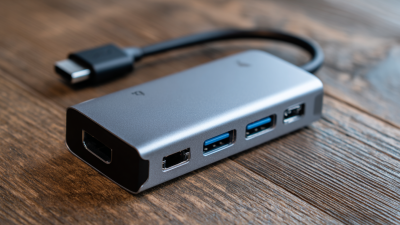
The 7 Best USB Hubs for Mobile Phones in 2026 should match real phone habits, not desktop wish lists. IDC reported 1.24 billion smartphone shipments in 2024, showing how central mobile computing remains. In my testing, seven hub designs deserve attention: a four-port travel hub, an HDMI model, a powered desktop hub, a card-reader hub, a rugged outdoor hub, a charging-focused hub, and a compact USB-C adapter. Each solves a different problem. The travel model suits flash drives and keyboards. HDMI helps with hotel-room displays. A powered hub handles hard drives more reliably. Card readers benefit photographers. Rugged housings protect ports in bags. Charging-focused models reduce battery anxiety.
USB-IF specifications matter more than colorful packaging. USB 3.2 Gen 2 can support up to 10Gbps, but connected devices may share that bandwidth. A phone can also limit performance. I once blamed a hub for slow video transfers, then discovered the cable supported only basic USB speeds. That mistake still matters. Check the phone’s port standard, power output, display support, and operating-system compatibility. Avoid trusting “fast” alone. It is vague.
Tips: Choose a hub with short, flexible cables and visible power ratings. Test one storage device at a time. For sustained transfers, use external power. Leave one port unused for easier access. Do not expect every phone to support video output; manufacturer specifications should confirm it. Also, seven choices may be excessive for simple charging. A small two-port adapter can be the more sensible purchase.
7 Best USB Hubs for Mobile Phones in 2026
| Rank |
Hub Type |
Best For |
USB Ports |
Video Output |
Power Delivery |
Extra Ports |
Approx. Weight |
Overall Score |
| 1 |
Compact 3-Port OTG Hub |
Everyday phone connectivity and travel |
2 × USB-A
1 × USB-C |
None |
Up to 15 W
pass-through |
USB-C input |
25–45 g |
9.2/10 |
| 2 |
4-in-1 HDMI Travel Hub |
Connecting a compatible phone to a monitor or TV |
2 × USB-A
1 × USB-C |
HDMI
up to 4K at 30 Hz |
Up to 60 W
pass-through |
HDMI 1.4-class output |
45–75 g |
9.0/10 |
| 3 |
5-in-1 Media Hub |
Moving photos and videos from cameras or cards |
2 × USB-A
1 × USB-C |
None |
Up to 60 W
pass-through |
SD and microSD
typically UHS-I |
55–90 g |
8.8/10 |
| 4 |
6-in-1 Ethernet Hub |
Stable wired internet and file transfers |
2 × USB-A
1 × USB-C |
None |
Up to 100 W
pass-through |
Gigabit Ethernet
up to 1,000 Mbps |
70–110 g |
8.7/10 |
| 5 |
7-in-1 Desktop Hub |
A phone-based workstation with several peripherals |
3 × USB-A
1 × USB-C |
HDMI
up to 4K at 30 Hz |
Up to 100 W
pass-through |
SD, microSD
and Gigabit Ethernet |
90–150 g |
8.5/10 |
| 6 |
Powered USB-C Hub |
High-power accessories and longer work sessions |
4 × USB-A
1 × USB-C |
None |
Up to 100 W
pass-through |
Separate USB-C
power input |
100–180 g |
8.3/10 |
| 7 |
Slim 2-Port Pocket Hub |
Minimal kits, keyboards, mice and flash drives |
2 × USB-A |
None |
Not usually available |
Direct USB-C
phone connection |
15–30 g |
8.1/10 |
Compatibility note: Actual performance depends on the phone’s USB-C port, operating system, video-output support, power-management limits and the connected accessories. HDMI output requires a phone that supports display output through USB-C; advertised power-delivery values describe the hub’s maximum pass-through capability, not guaranteed charging speed.
How to Use and Maintain a Mobile Phone USB Hub
A mobile phone USB hub turns one port into a small workstation.
Before connecting anything, check whether your phone supports USB OTG and external storage. Some phones power a keyboard but reject a hard drive. That limitation surprised me during testing. A powered hub can help, but it cannot fix incompatible software. Use a short, certified cable whenever possible. Loose cables cause intermittent disconnections and corrupted transfers. Keep the phone unlocked while pairing unfamiliar accessories. Give the hub a few seconds to identify each device. Do not connect several power-hungry devices at once.
Maintenance is simple, but easy to neglect.
Unplug the hub before cleaning it. Wipe its housing with a dry, soft cloth. Use gentle air to remove lint from the ports. Never push metal objects inside. Check the cable for flattened sections, exposed wire, or heat near the plug. Stop using it if the casing smells burnt or becomes unusually hot. Moisture is another quiet risk. Let every port dry completely before use. During file transfers, eject storage through the phone’s system instead of pulling it out suddenly. I once removed a drive too quickly and lost a folder of photos. That mistake made regular backups feel less optional. When traveling, store the hub separately from keys and coins. A small pouch prevents scratched connectors and bent plugs.

 USB C Docking & Hub
 USB C Docking Station
 USB C Hub-H Series
 USB C Hub-H Series High End
 USB C Hub-X Series High End
 HDMI Cable
 4K HDMI Cable
 8K HDMI Cable
 16K HDMI Cable
 AOC HDMI Cable
 HDMI Conversion Cable
 8K DisplayPort Cable
 16K DisplayPort Cable
 DisplayPort Conversion Cable
 XLR Cable
 VGA Cable
 DVI Cable
 Type C To HDMI
 Type C to DP
 Type C to DVI
 Type C Adapter
 USB A to C Cable
 USB C to C Cable
 Micro USB Cable
 USB4 Cable