How to Choose the Best Type C Docking Station for Laptop?
Choosing the right Type C Docking Station for Laptop can be overwhelming. The market is flooded with options, each offering unique features. It's crucial to understand your specific needs to make an informed decision.
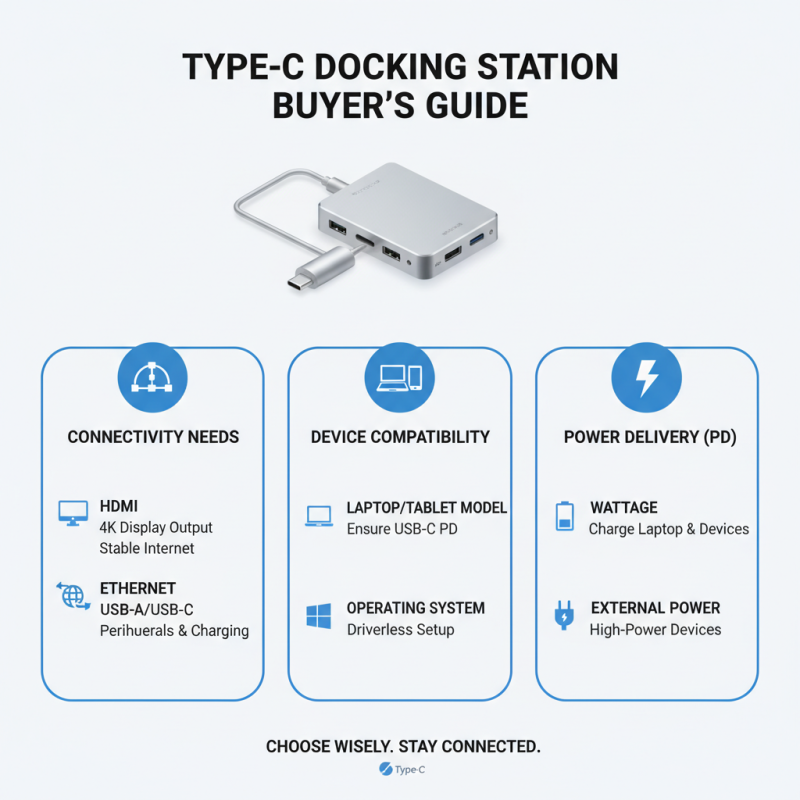
When selecting a docking station, consider the ports you require. Many models include USB-A, HDMI, and Ethernet ports. Not all laptops support every type of connection, so compatibility is essential. Pay attention to the power delivery as well. Some docks charge your laptop while others don’t, impacting usability.
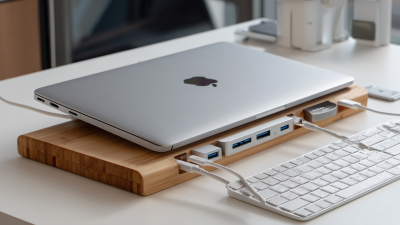
It is also important to reflect on your workspace. A cluttered desk can lead to stress. A compact, well-designed Type C Docking Station can enhance your setup. However, some designs may not meet your aesthetic preferences, leading to dissatisfaction. Take time to research reviews. Balanced information often reveals shortcomings that can make or break your choice.
Understanding the Different Types of Type C Docking Stations
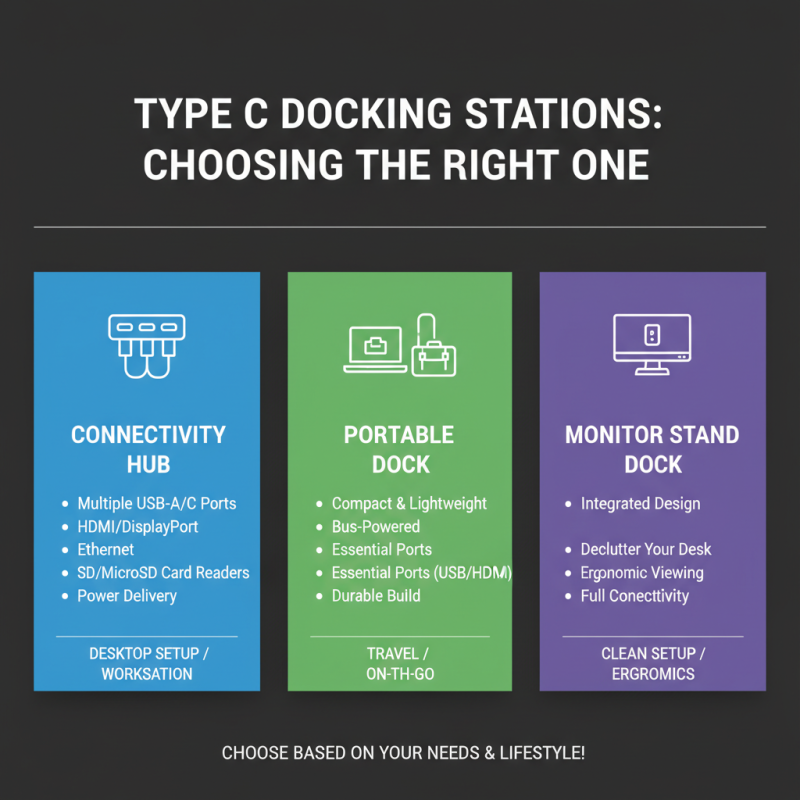
When selecting a Type C docking station, it's essential to grasp the various types available. These docks come in multiple forms, serving different needs. Some focus on connectivity, offering multiple USB ports, HDMI outputs, and even Ethernet connections. Others prioritize portability, designed to be lightweight and compact for easy travel.
Take a moment to review your specific requirements. A home office setup may benefit from a dock with ample ports for multiple displays. In contrast, frequent travelers might prefer a slim, multi-functional dock. Reflect on how you use your laptop daily. Are you a gamer or a professional? This can guide your choice.
Compatibility is crucial yet often overlooked. Ensure the docking station aligns with your laptop's specifications. Connectivity can vary, and newer models may not support older devices. Misalignments can lead to frustrating experiences. Look at your past selections. Were they fulfilling your expectations? Take note, and learn from your choices.
Key Features to Look for in a Type C Docking Station
When selecting a Type C docking station for your laptop, several key features deserve your attention. Power delivery is crucial. Look for a dock that supports sufficient wattage to charge your laptop quickly. You don’t want a dock that drains more power than it supplies. This can be frustrating, especially during intensive tasks.
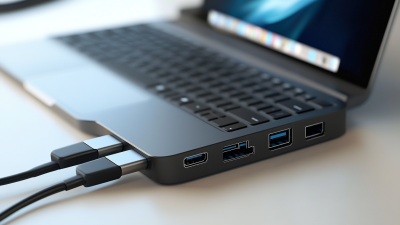
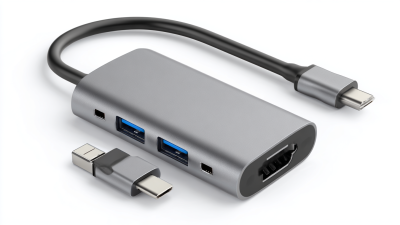
Ports and connectivity options are equally important. Check for multiple USB-A and USB-C ports. HDMI or DisplayPort outputs are essential for external monitors. Consider the data transfer speed too. A dock with USB 3.0 or higher ensures fast file transfers. However, be cautious. Sometimes, the advertised speeds may not reflect real-world usage.
Compatibility should also be considered. A docking station must work well with your devices. It's worth noting that not all docks support every laptop brand or model perfectly. Some users report issues connecting certain peripherals. Finally, the dock’s design and build material matter. A solid, portable dock is preferable for on-the-go use. However, some docks might be bulky or not aesthetically pleasing. Reflect on these aspects to find a docking station that truly meets your needs.
How to Choose the Best Type C Docking Station for Laptop? - Key Features to Look for in a Type C Docking Station
| Feature |
Description |
Importance |
| Power Delivery (PD) |
Allows the docking station to charge your laptop while in use. |
High |
| Ports Availability |
Includes multiple USB-C, USB-A, HDMI, Ethernet, and audio ports. |
High |
| Supported Resolutions |
Compatibility with high definition monitors; e.g., 4K at 60Hz. |
Medium |
| Size & Portability |
Compact design for easy transport. |
Medium |
| Cooling System |
Built-in heat dissipation to prevent overheating. |
High |
| Warranty |
Length of the warranty offered for the product. |
Medium |
Assessing Compatibility with Your Laptop and Other Devices
When selecting a Type C docking station, compatibility is key. Begin by checking the ports on your laptop. Ensure your docking station can connect using USB-C. Some laptops support video output, while others don’t. This can determine whether you can expand your display or not.
Think about your other devices too. If you have peripherals like external hard drives or monitors, make sure the docking station supports them. Pay special attention to the power delivery feature. It’s often overlooked but crucial for keeping your laptop charged while in use.
Here are some tips: always read user reviews for insights on actual compatibility. Look for a docking station that offers multiple ports. This can be beneficial if you want to connect various devices simultaneously. Test the docking station with your laptop right after purchase. Not every model works seamlessly, and you might face hurdles later. Don't settle for the first option; explore a bit more before deciding.
Compatibility of Type C Docking Stations with Laptops
Evaluating Ports and Connectivity Options for Your Needs
When selecting a Type C docking station, consider your connectivity needs. Think about the devices you plan to connect. Do you need HDMI for a monitor? What about Ethernet for internet stability? Each port provides unique benefits.
Evaluate the number of USB ports. If you have multiple peripherals, you’ll need ample USB connections. Some docks come with extra features, like SD card slots. Those can be handy for photographers. However, make sure you’re not choosing a dock solely for extra ports.
Be mindful of charging capabilities. Some docking stations can power your laptop while connected. This feature can be a lifesaver. However, not every dock supports fast charging. Research the specifications thoroughly before purchasing. The ideal docking station should align with your workflow and devices. Always reflect on your actual needs rather than relying on flashy features.
Budget Considerations When Choosing a Type C Docking Station
When selecting a Type C docking station, budget plays a crucial role. Prices can vary significantly. You might find basic models for a modest amount. However, premium options can be costly. It's essential to identify your needs first. Do you require multiple ports or advanced features? Assessing your requirements can prevent overspending on unnecessary specs.
Consider your usage habits. If you work on the go, a lightweight model is beneficial. Look for durability as well. Cheaper docks might not withstand daily use. It's a balance between cost and quality. Research cheaper alternatives that still deliver good performance. Sometimes, spending a bit more for reliability is wise.
Evaluate the long-term value too. A dock that works perfectly for now might become obsolete. Will it support future devices? Keep an eye on compatibility. Many budget options lack essential functionalities. In those cases, initial savings can lead to frustration later on. Make informed decisions that reflect both your needs and your budget.

 USB C Docking & Hub
 USB C Docking Station
 USB C Hub-H Series
 USB C Hub-H Series High End
 USB C Hub-X Series High End
 HDMI Cable
 4K HDMI Cable
 8K HDMI Cable
 16K HDMI Cable
 AOC HDMI Cable
 HDMI Conversion Cable
 8K DisplayPort Cable
 16K DisplayPort Cable
 DisplayPort Conversion Cable
 XLR Cable
 VGA Cable
 DVI Cable
 Type C To HDMI
 Type C to DP
 Type C to DVI
 Type C Adapter
 USB A to C Cable
 USB C to C Cable
 Micro USB Cable
 USB4 Cable