How to Choose the Best Type C Hub Ethernet for Your Needs?
Choosing the right Type C Hub Ethernet can significantly impact your productivity. A well-known expert in the field, Dr. Emily Chen, once said, "The right hub can transform your device into a powerhouse." In today's tech-driven world, having reliable connectivity is crucial. The Type C Hub Ethernet connects your laptop or tablet to wired networks with ease.
When evaluating options, consider your specific needs. Do you require multiple ports? Or is speed your priority? Each hub offers different features. For instance, some may have HDMI outputs for additional displays. Others may offer faster data transfer rates. It's essential to balance these features against your budget.
Consumers often overlook the design and build quality. A robust hub ensures longevity, especially for daily travel. Reflection is necessary in making this choice. Are you buying based purely on price? Or are you considering functionality and reviews? Evaluating these aspects will help you find the perfect Type C Hub Ethernet to meet your needs.

Understanding the Importance of a Type C Hub with Ethernet
When selecting a Type C hub with Ethernet, understanding its importance is crucial. A hub with Ethernet can enhance your connectivity options. It effectively combines the latest USB-C technology with reliable internet access. This setup is particularly beneficial for those who work remotely or stream online content regularly.
Many users overlook the advantages of a stable wired connection. Wireless networks can be inconsistent, especially during peak hours. An Ethernet connection provides speed and stability. This feature can significantly improve tasks like video conferencing or online gaming. A good hub will often include multiple ports. Ensuring you have enough connections for various devices is essential.
It’s also worth mentioning that not all hubs are created equal. Compatibility issues may arise with different devices. Researching specifications is vital. Sometimes, cheaper options might lack quality. In the end, consider your specific needs and how often you rely on internet access. Recognizing your priorities can help guide your choice effectively.
How to Choose the Best Type C Hub Ethernet for Your Needs?
| Feature |
Importance |
Common Speed |
Additional Ports |
| Ethernet Port |
Critical for stable wired internet connection |
1 Gbps - 10 Gbps |
USB Ports, HDMI |
| Size |
Affects portability and usage |
Compact to Medium |
VGA, Card Reader |
| USB-C Power Delivery |
Allows charging of device while using hub |
Up to 100W |
None |
| Data Transfer Rate |
Impacts speed of file transfers |
USB 3.0: 5 Gbps, USB 3.1: 10 Gbps |
3.5mm Audio Jack |
Key Features to Consider When Selecting a Type C Hub
When selecting a Type C hub with Ethernet, consider several key features. The speed of the Ethernet connection is crucial. Look for hubs that support at least gigabit speeds. This will ensure fast internet access. Latency can vary, so check user reviews for real-world performance.
Port variety is another essential factor. Some hubs offer multiple USB ports and HDMI outputs. Think about what devices you will connect. More ports provide flexibility for expansion. However, too many can lead to confusion. Keep an eye on compatibility with your devices.
Tip: Always check power delivery support. Some hubs can charge devices while in use. This feature is handy but may not work with all devices. It’s vital to assess your charging needs.
Durability matters too. Look for hubs made from sturdy materials. A flimsy design can lead to wear and tear over time. Careful handling may help, but it's better to invest in quality. A reliable hub should serve you well for years, without frequent replacements.
Key Features to Consider When Selecting a Type C Hub Ethernet
Comparing Different Type C Hub Ethernet Options
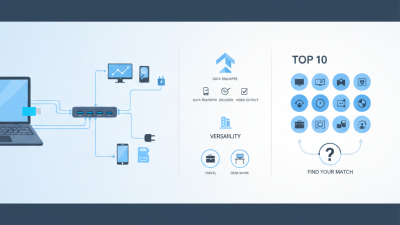
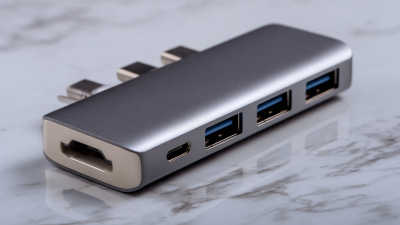
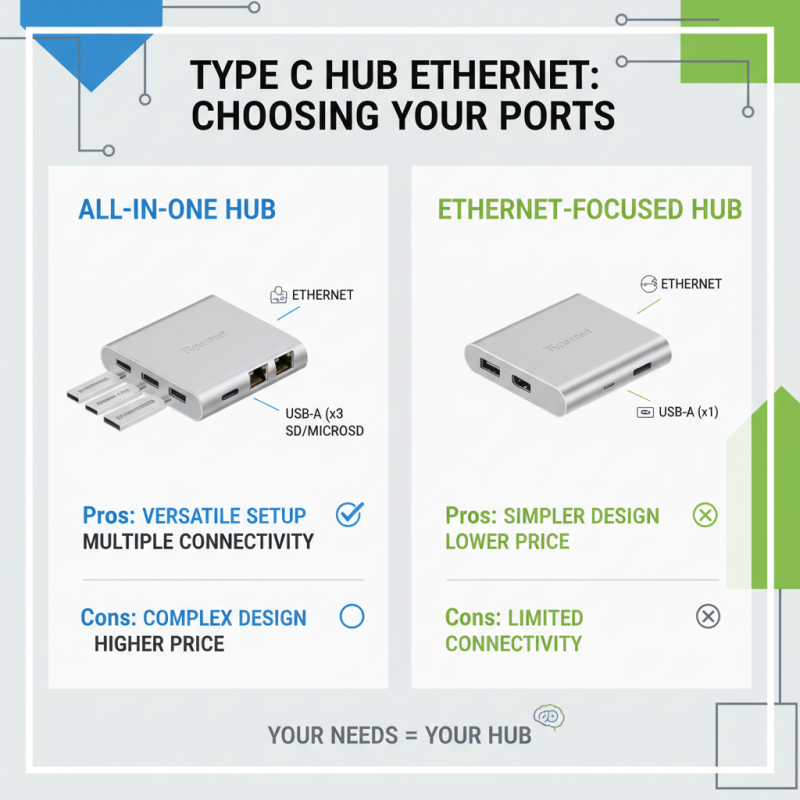
When choosing a Type C hub with Ethernet, consider various options available. Some hubs offer multiple ports, including HDMI, USB-A, and SD card slots. Having a variety can make your setup more versatile. However, more ports often complicate design and increase price. Think about what you truly need for your daily tasks.
Speed matters. Some hubs provide fast Ethernet connections, while others may fall short. Check the specifications before purchasing. Note that certain hubs might struggle with high-speed internet. The last thing you need is slow connectivity when working on important projects.
Portability is another factor. Some hubs are compact and easy to carry. Others are larger, which can be inconvenient if you're always on the go. Assess how you plan to use the hub. If you frequently travel, a slim design may be essential. Yet, a bulkier hub might offer better performance. Determine your priorities before making a choice.
Assessing Compatibility with Your Devices and Network
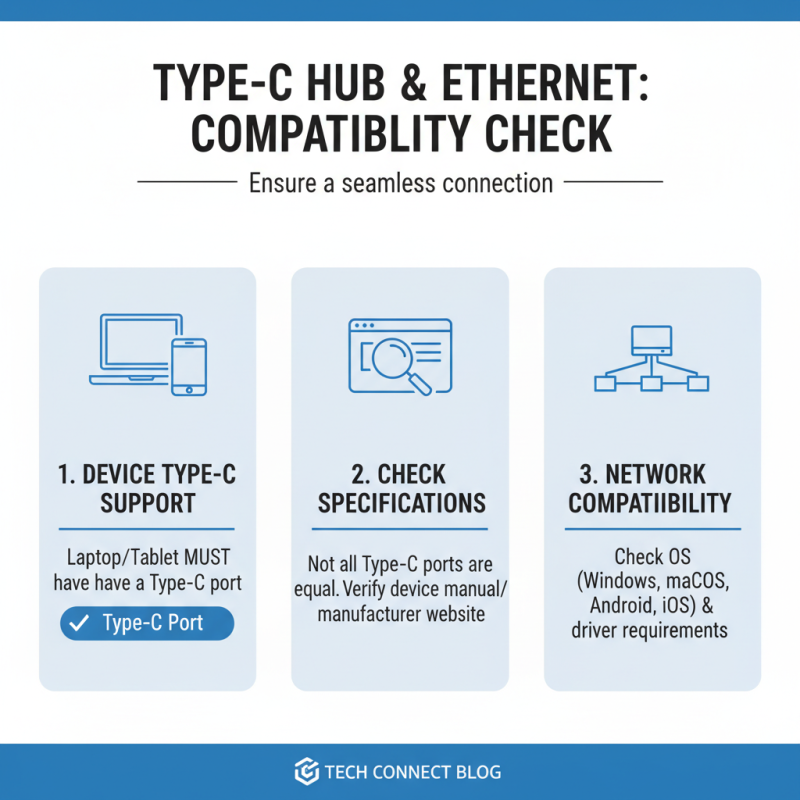
When choosing a Type C hub with Ethernet, compatibility is key. Start by checking the specifications of your devices. Ensure that your laptop or tablet supports Type C connections. Not all devices do. A quick visit to the manufacturer's website can clarify this.
Next, consider your network requirements. Different hubs support various speeds. If you have a gigabit internet connection, ensure the hub can handle it. Some hubs may limit your speed due to older technology. It is frustrating to invest in a high-performance hub only to experience lag.
Also, think about extra features. Some hubs come with additional ports. HDMI, USB-A, and SD card slots can be useful. However, these extras may not be necessary for everyone. If you only need Ethernet, simpler is often better. Reflect on your needs and avoid buying based on trends. Be practical.
Budget Considerations for Buying a Type C Hub Ethernet
When considering a Type C Hub with Ethernet, budget is a crucial factor. Identify your needs before diving into options. Do you require multiple ports or just one diverse connection? Inexpensive models may lack significant features. They might not support high-speed connections, which can impact performance. Think about how often you will use it.
Quality is essential too. A lower price might mean compromised durability. Ports could wear out quickly if not built well. Researching online reviews may help pinpoint models that balance cost and reliability. Sometimes, spending more upfront saves money in the long run.
Explore second-hand or refurbished options. They can provide solid functionality at a lower price. However, ensure these items come with warranties. Check return policies too, in case of issues. Investing wisely means weighing pros and cons regarding price versus performance. You'll find the best fit for your budget and needs.

 USB C Docking & Hub
 USB C Docking Station
 USB C Hub-H Series
 USB C Hub-H Series High End
 USB C Hub-X Series High End
 HDMI Cable
 4K HDMI Cable
 8K HDMI Cable
 16K HDMI Cable
 AOC HDMI Cable
 HDMI Conversion Cable
 8K DisplayPort Cable
 16K DisplayPort Cable
 DisplayPort Conversion Cable
 XLR Cable
 VGA Cable
 DVI Cable
 Type C To HDMI
 Type C to DP
 Type C to DVI
 Type C Adapter
 USB A to C Cable
 USB C to C Cable
 Micro USB Cable
 USB4 Cable