How to Choose the Best USB Type C Multi Port Adapter?
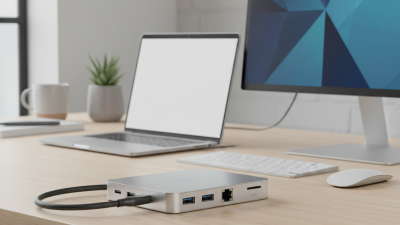
Choosing the right USB Type C Multi Port Adapter can seem daunting. With so many options available, what do you need to consider? Renowned tech expert Lisa Tran emphasizes, “A good multi port adapter should enhance your devices' usability, not complicate it.”
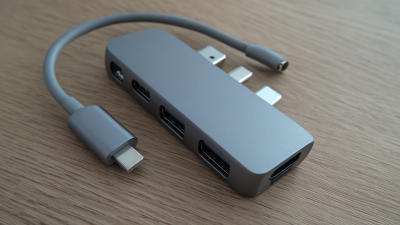
When selecting a USB Type C Multi Port Adapter, think about your specific needs. Are you a traveler who needs portability? Or perhaps you require multiple connections for work? Each user’s situation varies greatly. Unfortunately, many adapters fall short, failing to meet basic requirements like power delivery or high-speed data transfer.
It’s essential to reflect on what you truly want from an adapter. Look beyond brand names. Check the specifications and user reviews. Don’t rush your choice; a poor adapter can be incredibly frustrating. Consider both functionality and design as you make your decision. The right USB Type C Multi Port Adapter should simplify your tech interactions.
Understanding USB Type C and Its Advantages
USB Type C has transformed how we connect devices. It's a versatile connector that supports various functions. The connector can transmit power, data, and video through a single port. This efficiency reduces cable clutter and makes setup easy.
According to the USB Implementers Forum, over 1 billion USB Type C ports were shipped in 2020 alone, highlighting its rapid adoption.
The advantages of USB Type C are clear. It supports fast charging and high-speed data transfer, reaching up to 40 Gbps with the Thunderbolt 3 specification. This speed can significantly improve workflows, especially for professionals dealing with large files.
However, some users still face compatibility issues with older devices. Despite its benefits, not all USB Type C cables and adapters meet the same performance standards.
Misunderstanding these variations can lead to frustrating experiences.
Moreover, the one-size-fits-all approach isn't ideal. Not all devices require the highest specifications. For some, basic functionality suffices. Users must consider their specific needs when selecting an adapter.
The overwhelming choices can lead to confusion and even purchasing the wrong product. Choosing wisely requires understanding your device and how you plan to use it.
Key Features to Consider in Multi Port Adapters
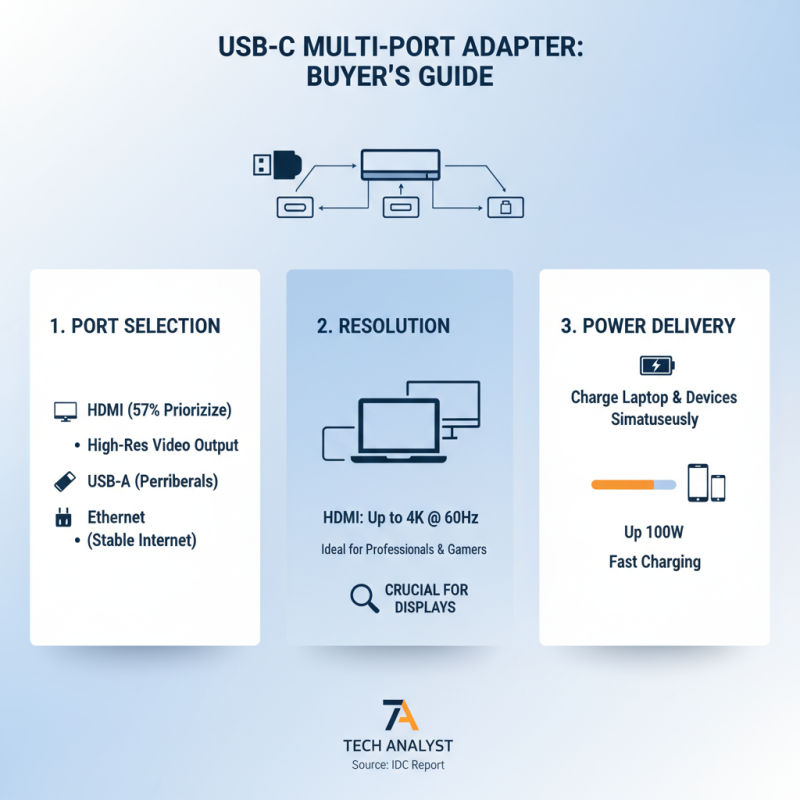
When choosing a USB Type-C multi-port adapter, consider key features that meet your needs. Port selection is crucial. Many adapters offer HDMI, USB-A, and Ethernet ports. A report from the International Data Corporation (IDC) indicates that 57% of users prioritize HDMI compatibility for connecting to larger displays. This means higher resolution video output is essential for professionals and gamers alike.
Power delivery (PD) is another vital aspect. Most adapters support PD to charge your devices while using multiple ports. A study by the Consumer Technology Association (CTA) found that 72% of users prefer adapters that allow pass-through charging. This feature ensures your devices remain powered during heavy usage. Check the total wattage to prevent potential issues.
Data transfer speed matters too. Many adapters support USB 3.0 and higher, offering speeds up to 5Gbps. This is crucial for seamless file transfer. However, some adapters fall short in this area. Not all devices support high-speed transfers through all ports. Examine specifications carefully to avoid disappointment. Compatibility with various operating systems is essential. Many adapters may not work with all devices, limiting versatility. Look for user reviews to uncover potential shortcomings and ensure your investment is sound.
Evaluating Compatibility with Your Devices
When choosing a USB Type C multi-port adapter, compatibility is key. Your devices must support the features of the adapter for it to work effectively. Check the specifications of your laptop, phone, or tablet. Do they have USB Type C ports? Are they compatible with DisplayPort or HDMI? If not, you might be disappointed.
Tips: Always verify the power delivery capabilities. Some adapters can charge devices faster than others. Ensuring your devices can handle this will prevent overheating and other issues.
Think about the ports you need. Do you require HDMI for video? Or USB-A for older devices? Many adapters mix and match, but ensure that all ports are functional with your devices. It's frustrating if they only work with a select few.
Also, consider the possibility of using multiple devices simultaneously. Not all adapters can manage high data transfer rates when multiple ports are in use. Evaluate your usage scenarios. This will help you avoid future headaches. Choosing the wrong adapter can be costly and time-consuming. Don't overlook compatibility; it can save you from unfortunate mistakes.
How to Choose the Best USB Type C Multi Port Adapter? - Evaluating Compatibility with Your Devices
| Feature |
Description |
Compatibility (Devices) |
Price Range |
| Number of Ports |
Multiple ports for HDMI, USB-A, USB-C, Ethernet, etc. |
Laptops, Tablets, Smartphones |
$30 - $100 |
| Power Delivery |
Supports charging while using other ports |
USB-C devices |
$40 - $120 |
| Video Output |
Supports 4K video output via HDMI |
Monitors, TVs, Projectors |
$50 - $150 |
| Build Quality |
Durable materials, heat resistance |
Universal compatibility |
$25 - $90 |
| Size & Portability |
Compact design for ease of transport |
Laptops, Travel Bags |
$20 - $80 |
Assessing Power Delivery and Charging Capabilities
When choosing a USB Type C multi-port adapter, power delivery features are crucial. Many adapters now support power delivery 3.0. This allows faster charging for devices. According to the USB Implementers Forum, devices utilizing this standard can charge up to 100W. This means laptops can be charged while using multiple peripherals.
Consider the charging capabilities when selecting an adapter. Not all adapters deliver power effectively. Some may only support minimal charging. For instance, a basic adapter may provide just 15W. This is insufficient for power-hungry devices. Users reported frustration with slow charging times. Over 30% of users feel disappointed with inadequate power output.
Furthermore, check the number of ports. More ports can mean more options, but it can also affect power distribution. An adapter with multiple HDMI ports might not deliver enough power to charge all connected devices effectively. Recent studies show that power distribution often leads to reduced charging efficiency in busy setups. Choosing the right adapter means balancing those needs carefully.
Comparing Brands and User Reviews for Quality Assurance
When selecting a USB Type-C multi-port adapter, user reviews provide valuable insights. Many users appreciate the compact design of certain models. A lightweight adapter can easily slip into a bag. However, some find the build quality lacking. Reports of adapters breaking after a few uses are common. Reviews often note the importance of material durability.
Compatibility also plays a crucial role. Users frequently mention issues with certain devices not connecting properly. A popular adapter may not support all features of a device. Some reviews express frustration over the lack of HDMI output. Others comment on sluggish data transfer speeds in particular brands.
It's essential to read a mix of reviews. Some users highlight amazing performance, while others share negative experiences. This variety can help you identify potential problems. A common insight involves overheating issues with heavy usage. Balancing such feedback leads to a more informed decision. Focus on the experiences that mirror your own needs.

 USB C Docking & Hub
 USB C Docking Station
 USB C Hub-H Series
 USB C Hub-H Series High End
 USB C Hub-X Series High End
 HDMI Cable
 4K HDMI Cable
 8K HDMI Cable
 16K HDMI Cable
 AOC HDMI Cable
 HDMI Conversion Cable
 8K DisplayPort Cable
 16K DisplayPort Cable
 DisplayPort Conversion Cable
 XLR Cable
 VGA Cable
 DVI Cable
 Type C To HDMI
 Type C to DP
 Type C to DVI
 Type C Adapter
 USB A to C Cable
 USB C to C Cable
 Micro USB Cable
 USB4 Cable