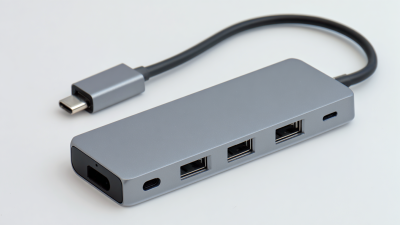
2025 Top 10 Usb C Docking Stations You Should Consider
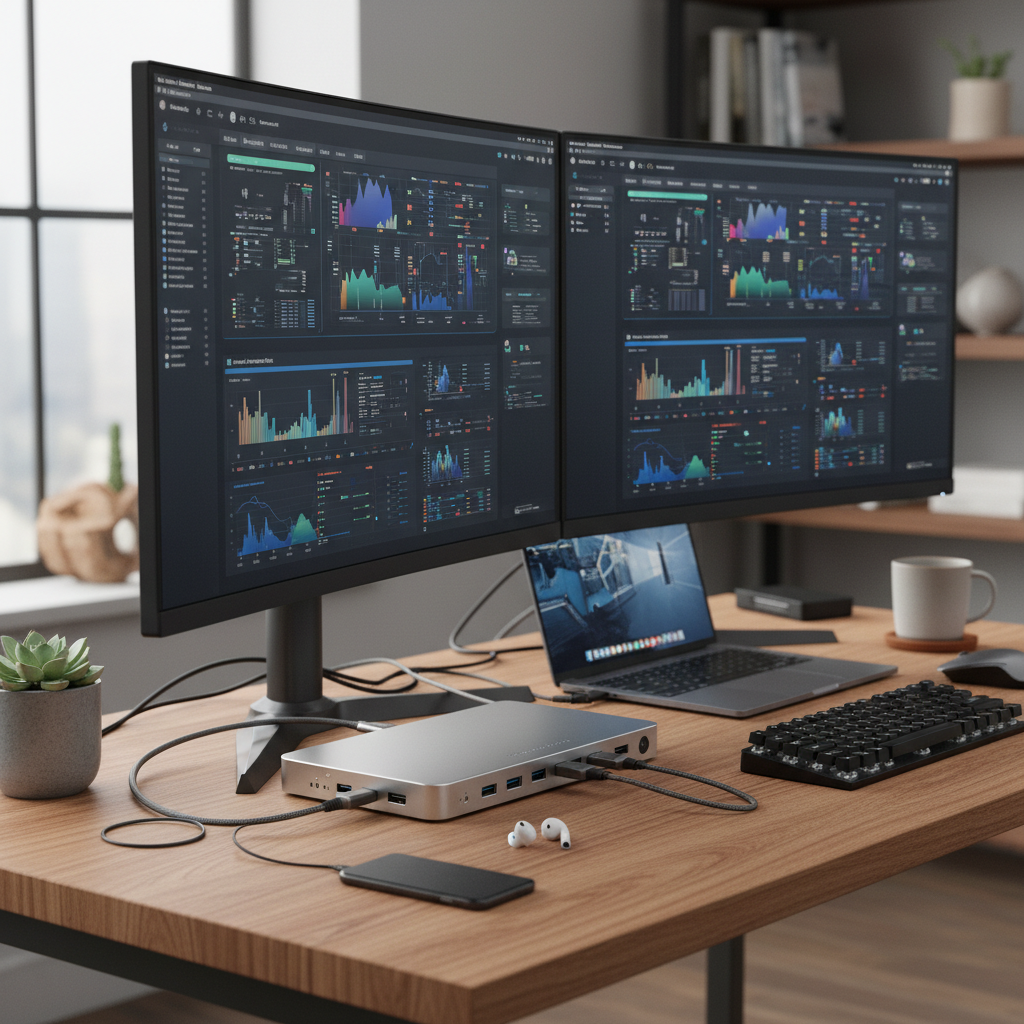
In the ever-evolving world of technology, the need for versatile and efficient peripherals has become paramount. As laptops increasingly shift towards USB-C ports, investing in a reliable Docking Station USB C has never been more important for both productivity and connectivity. Whether you're a professional seeking to enhance your workstation or a student needing to connect multiple devices, finding the right docking station can elevate your computing experience.
In this guide, we will explore the top 10 USB C docking stations you should consider in 2025. From seamless multi-monitor setups to high-speed data transfer capabilities, these docking stations are designed to meet a variety of needs and preferences. Each option offers unique features that cater to diverse user requirements, ensuring you can select the one that best complements your lifestyle and work habits. Join us as we delve into the essential characteristics and benefits of the latest USB C docking stations that can keep you connected and productive.

Top Features to Look for in a USB-C Docking Station
When choosing a USB-C docking station, there are several top features that one should consider to enhance productivity and connectivity. Firstly, ensure the docking station supports multiple displays, ideally with the capability of dual 4K output. This is particularly important for users who rely on multiple screens for multitasking and efficiency. The latest docking stations often utilize advanced connectivity standards like Thunderbolt 4, which not only allows for high-resolution display support but also provides faster data transfer rates.
Another crucial aspect to consider is the power delivery capability of the docking station. Look for models that can deliver sufficient wattage to charge your devices while connected, ideally up to 140W, which can significantly reduce cable clutter and improve workstation organization. Additionally, a variety of ports, including USB-A, USB-C, HDMI, and Ethernet, are essential to accommodate various devices and peripherals, ensuring versatility and usability for different workflows.
Comparative Review of 2025's Best USB-C Docking Stations
The landscape of USB-C docking stations in 2025 presents an exciting array of options for consumers seeking seamless connectivity and enhanced productivity. In this comparative review, we will explore the top ten USB-C docking stations that elevate your workspace with their innovative features and robust performance. Each model varies in design, port availability, and additional functionalities, catering to diverse user needs ranging from gamers to content creators.
Among the standout options, some docking stations shine due to their extensive array of ports, allowing users to connect multiple devices effortlessly. Features like 4K video output, rapid charging capabilities, and high-speed data transfer are crucial benchmarks that distinguish these products. Additionally, we will assess their build quality and overall reliability to understand how they stack up against one another. By diving deep into the specifications and user experiences, our review aims to provide a clear guide for choosing the perfect USB-C docking station to enhance your digital lifestyle in 2025.
2025 Top 10 USB C Docking Stations You Should Consider
| Docking Station |
Ports |
Resolution Support |
Charging Power Output |
Price Range |
| Model A |
2x USB-C, 3x USB-A, HDMI, Ethernet |
4K at 60Hz |
100W |
$150 - $200 |
| Model B |
1x USB-C, 4x USB-A, HDMI, VGA |
2K at 30Hz |
60W |
$100 - $150 |
| Model C |
3x USB-C, 2x USB-A, DisplayPort, Ethernet |
4K at 30Hz |
85W |
$120 - $170 |
| Model D |
1x USB-C, 3x USB-A, HDMI |
1080p at 60Hz |
45W |
$80 - $120 |
| Model E |
2x USB-C, 4x USB-A, HDMI, Ethernet |
4K at 60Hz |
100W |
$190 - $250 |
| Model F |
1x USB-C, 3x USB-A, DVI, VGA |
1080p at 60Hz |
60W |
$70 - $100 |
| Model G |
2x USB-C, 2x HDMI, Ethernet |
4K at 30Hz |
90W |
$140 - $180 |
| Model H |
3x USB-C, 1x USB-A, HDMI |
2K at 60Hz |
100W |
$110 - $160 |
| Model I |
1x USB-C, 3x USB-A, HDMI, Ethernet |
4K at 60Hz |
70W |
$130 - $180 |
| Model J |
4x USB-C, HDMI, Ethernet |
2K at 60Hz |
100W |
$200 - $260 |
How to Choose the Right USB-C Docking Station for Your Setup
When selecting the right USB-C docking station for your setup, it's important to consider several key factors. First, evaluate the compatibility of the docking station with your devices. Ensure that it supports the specific USB-C standards of your laptop or tablet, especially if you require power delivery capabilities for charging. Take note of the range of ports offered; a versatile docking station should provide a mix of HDMI, DisplayPort, USB-A, Ethernet, and audio connections, depending on your needs.
Another crucial aspect to consider is the docking station's design and form factor. Depending on your workspace, a compact design may be preferable, especially if you have limited desk space. Additionally, think about the data transfer speeds supported by the docking station. If you frequently transfer large files or require high-resolution displays, look for a model that offers Thunderbolt 3 or USB 3.2 compatibility. By assessing these elements, you can ensure that the docking station you choose enhances your overall productivity and seamlessly integrates into your tech ecosystem.
Essential Connectivity Options for USB-C Docking Stations
As the demand for connectivity increases, USB-C docking stations have emerged as essential tools for enhancing the functionality of laptops and mobile devices. According to a recent industry report from Allied Market Research, the global docking station market is expected to reach $6.57 billion by 2025, driven by the growing need for universal compatibility and efficient multitasking capabilities. These docking stations enable users to connect multiple peripherals, such as monitors, keyboards, and external storage drives, through a single USB-C port, thereby simplifying workspace setups.
When selecting a USB-C docking station, it's crucial to consider the essential connectivity options it provides. For instance, a high-quality docking station should include multiple USB-A ports for backward compatibility with older devices, HDMI and DisplayPort for video output, and Ethernet ports for stable internet connections. Furthermore, look for stations featuring power delivery (PD) capabilities, which allow you to charge your laptop while in use, ensuring that productivity remains uninterrupted.
Tips: Prioritize docking stations with additional features such as SD card readers and audio jacks for enhanced versatility. Also, pay attention to the supported resolutions for video outputs; a station that can handle 4K output may be beneficial for graphic designers or video editors. Finally, consider the build quality and design to ensure durability and a neat workspace.
Troubleshooting Common Issues with USB-C Docking Stations
When using USB-C docking stations, users often encounter various issues that can affect their workflow. One of the most common problems reported is the failure of the docking station to detect connected monitors. This issue can stem from driver conflicts, incorrect display settings, or compatibility discrepancies between the docking station and the devices being used. Troubleshooting such issues involves ensuring that all drivers are up to date, checking cable connections, and configuring display settings properly.
Additionally, recent reports have highlighted specific problems with USB-C ports on certain devices, where users experience random dropouts or inability to provide sufficient power to attached devices. For instance, some users have noted that disconnecting and reconnecting their peripherals resolves these connectivity issues temporarily. It's crucial for users to follow these troubleshooting steps to maintain a seamless experience while using USB-C docks, particularly as they become increasingly central to modern computing setups.

 USB C Docking & Hub
 USB C Docking Station
 USB C Hub-H Series
 USB C Hub-H Series High End
 USB C Hub-X Series High End
 HDMI Cable
 4K HDMI Cable
 8K HDMI Cable
 16K HDMI Cable
 AOC HDMI Cable
 HDMI Conversion Cable
 8K DisplayPort Cable
 16K DisplayPort Cable
 DisplayPort Conversion Cable
 XLR Cable
 VGA Cable
 DVI Cable
 Type C To HDMI
 Type C to DP
 Type C to DVI
 Type C Adapter
 USB A to C Cable
 USB C to C Cable
 Micro USB Cable
 USB4 Cable