Top Type C Docking Station for Laptop Suppliers in China
Choosing a reliable Type C Docking Station For Laptop supplier in China requires more than comparing prices. Buyers need stable performance, clear specifications, and dependable communication. A quality dock should support daily office work, remote meetings, external displays, wired networks, and fast peripheral access. Its ports should remain secure after repeated use. Heat control also matters during long working hours.
Experienced Chinese suppliers usually offer USB-C docks with HDMI, DisplayPort, USB-A, Ethernet, audio, and power delivery options. However, port quantity alone proves little. Professional buyers should check chipset details, display resolution, charging limits, operating system compatibility, and firmware support. Samples can reveal practical issues, such as loose connectors, signal flicker, or excessive surface heat. Small defects become expensive at scale.
Supplier evaluation should include factory capability, quality-control procedures, certifications, packaging standards, and after-sales response. Product photos may look convincing, but actual testing provides stronger evidence. Ask for test reports and verify them carefully. Details matter. A supplier may claim broad compatibility, yet performance can vary between laptop brands. That point deserves attention.
This guide examines leading Type C Docking Station For Laptop suppliers in China through a practical purchasing perspective. It considers manufacturing experience, engineering support, customization options, delivery consistency, and customer feedback. The comparison is not absolute, because supplier strengths can change with models and production batches. Buyers should still request current samples before placing large orders. Test before scaling. Reliable sourcing comes from evidence, not attractive promises.
What Is a Type-C Docking Station for Laptops?
Top Type C Docking Station for Laptop Suppliers in China
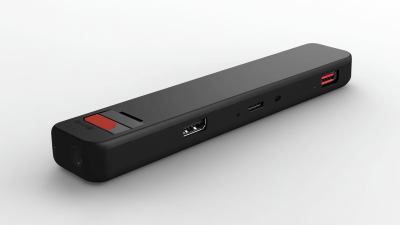
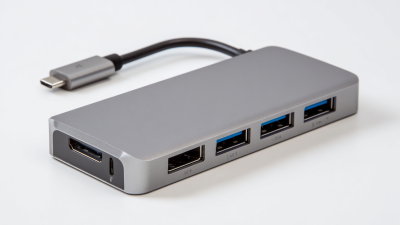
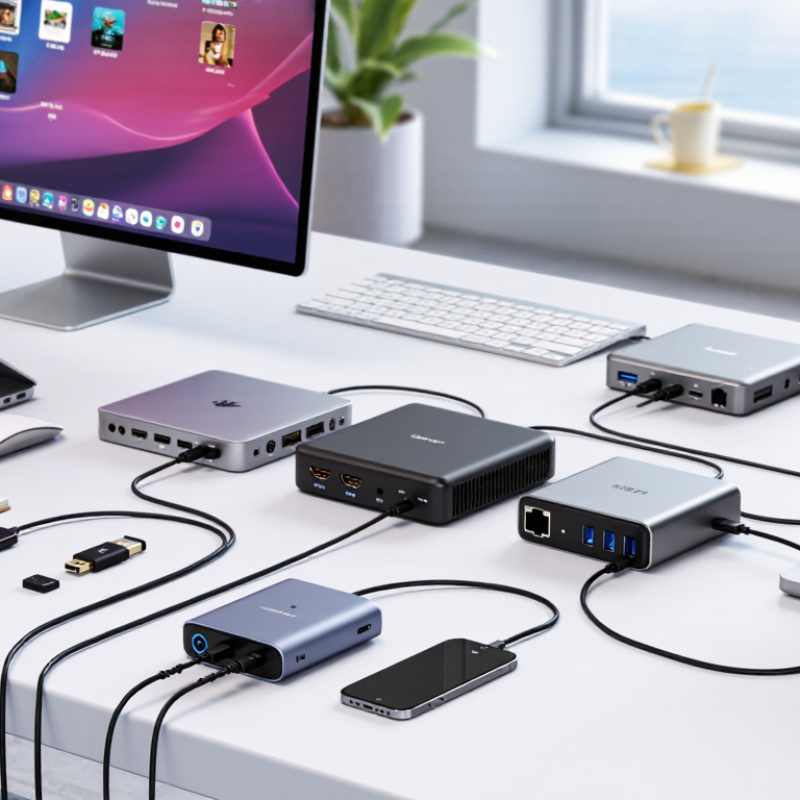
A Type-C docking station is a compact hub that expands one laptop port into several useful connections. It can provide HDMI or DisplayPort output, USB ports, Ethernet, audio, and memory card access. Many models also support power delivery, allowing one cable to charge the laptop while connecting monitors and accessories. In daily testing, a dock can turn a small laptop into a practical desk workstation. However, USB-C is only a connector shape. Its speed, charging capacity, and display support depend on the laptop, dock, cable, and operating system.
Tips: Check the laptop’s USB-C specifications before purchasing. Look for video output support, charging wattage, and data speed. A 100-watt input does not always mean 100 watts reaches the laptop. Heat also matters. Place the dock in an open area, especially when using several ports.
A reliable docking station should identify supported resolutions and operating systems clearly. Dual-monitor performance may require specific display protocols or software, so supplier claims deserve careful verification. In my experience, short certified cables reduce connection problems, while cheap cables can cause flickering or slow transfers. The dock may feel warm during heavy use; that is not automatically a fault, but unusual heat deserves attention. Buyers should request test reports, port details, warranty terms, and sample units before placing large orders. Compatibility is easy to underestimate.
Key Features of High-Quality Type-C Docking Stations
A high-quality Type-C docking station should make a laptop setup simpler, not less dependable. Look for a USB-C connection that supports the functions you need, such as display output, data transfer, and charging. Not every USB-C port supports video. Check the laptop’s specifications before selecting a dock.
Ports should match real working habits. A useful unit may offer HDMI or DisplayPort, several USB-A ports, a fast data port, and wired Ethernet. Confirm the supported display resolution and refresh rate; these depend on both the laptop and the dock. Power delivery matters, too. Choose a rated output that suits the laptop, and use a compatible charger. More ports are not always better.
Build quality shows in small details. A firm connector, clearly labeled ports, and a stable housing help during daily use. Under sustained loads, a dock may become warm, so sensible ventilation is worth checking. Suppliers should be able to provide clear specifications and test information, not just attractive photos. In practical evaluation, try connecting a monitor, keyboard, storage device, and network cable at once. Watch for dropped connections or slow charging. Compatibility can still be imperfect, and that deserves honest testing.
Types of Chinese Type-C Docking Station Suppliers
Chinese Type-C docking station suppliers usually fall into four practical groups. Original manufacturers build products in their own factories. They control assembly, testing, and component sourcing more directly. Their strength is stable production for repeated orders. However, smaller factories may offer limited design support or slower communication.
OEM and ODM suppliers serve buyers needing customized housings, logos, port layouts, or firmware. Their engineers can adjust HDMI output, USB transfer rates, Ethernet functions, and power delivery. Ask for engineering samples before discussing large volumes. A drawing may look complete, yet the finished dock can run hot beside a laptop
How to Evaluate Suppliers in China
Top Type C Docking Station for Laptop Suppliers in China
Evaluating suppliers in China requires more than comparing FOB prices. Start with factory evidence: production-line photos, recent audit records, and traceable component lists. A capable supplier should explain the chipset, power-delivery design, thermal control, and firmware process clearly. Ask for samples from normal production, not specially prepared units. Test charging, display output, Ethernet stability, and connector durability for several days.
Industry data supports careful sourcing. IDC reported approximately 262.7 million personal computers shipped worldwide in 2024, showing continued demand for workplace connectivity equipment. MarketsandMarkets projects the docking station market to grow steadily through the decade, driven by hybrid work and USB Type-C adoption. These figures do not guarantee a good supplier. They only show why supplier selection matters.
Request independent test reports for electrical safety, electromagnetic compatibility, and material compliance. Verify the laboratory, test date, model number, and report scope. A certificate with the wrong model is a warning. Check quality records, including first-pass yield, defect rates, and corrective-action history. Also review packaging: a loose port inside a carton can fail before installation. No scorecard is perfect. A spreadsheet can still hide weak after-sales support. Before signing, place a small trial order and measure delivery accuracy, failure rates, communication speed, and replacement handling. Suppliers who answer technical questions with measurements deserve more confidence than those offering only polished promises.
Sourcing and Quality Assurance Considerations
When evaluating Type C docking station suppliers in China, request evidence for every critical specification.
A port labeled “USB-C” does not guarantee the same charging, display, or data performance. Ask for a port-by-port matrix showing supported protocols, maximum power, display resolution, and simultaneous-use limits. USB-IF’s USB Power Delivery 3.1 specification allows power delivery up to 240 W, but a dock’s actual output depends on its design and power adapter. Check that stated figures match the tested configuration.
Quality assurance should include repeatable tests, not just a polished sample.
Request test records for heat, connection stability, and sustained data transfer under load. During a factory audit, trace a finished unit back to its component and inspection records. Look closely at solder joints, cable strain relief, and port alignment. Small defects matter. Gartner reported that worldwide PC shipments reached 245.3 million units in 2024, up 1.0% year over year; growing device demand makes dependable compatibility especially important. Before placing a large order, test production samples with different laptops and operating systems.
Keep one practical question in view: who owns the cost when a verified specification fails in real use?
Supplier answers can be vague. That deserves follow-up.

 USB C Docking & Hub
 USB C Docking Station
 USB C Hub-H Series
 USB C Hub-H Series High End
 USB C Hub-X Series High End
 HDMI Cable
 4K HDMI Cable
 8K HDMI Cable
 16K HDMI Cable
 AOC HDMI Cable
 HDMI Conversion Cable
 8K DisplayPort Cable
 16K DisplayPort Cable
 DisplayPort Conversion Cable
 XLR Cable
 VGA Cable
 DVI Cable
 Type C To HDMI
 Type C to DP
 Type C to DVI
 Type C Adapter
 USB A to C Cable
 USB C to C Cable
 Micro USB Cable
 USB4 Cable