Top 10 USB Type C Port Hubs You Need to Know?
In the ever-evolving tech landscape, the USB Type C Port Hub has emerged as an essential accessory. According to industry reports, the adoption of USB Type C ports is projected to grow by over 25% annually through 2025. This widespread adoption reflects its versatility and efficiency. USB Type C ports support faster data transfer, improved connectivity, and even power delivery.
However, not all USB Type C Port Hubs are created equal. Many users struggle to find a hub that meets their unique needs. From ports to design, options can feel overwhelming. In a recent survey, 40% of buyers reported dissatisfaction with their current hubs. Issues often stem from compatibility or inadequate performance.
An ideal USB Type C Port Hub should seamlessly integrate with diverse devices. Modern demands require hubs that can keep pace with interconnected workspaces. With the right hub, users can elevate their productivity. As we explore the top 10 USB Type C Port Hubs, these factors will guide our discussion. Choosing wisely can make a significant difference in user experience and satisfaction.

Overview of USB Type C Port Hubs and Their Importance
In recent years, USB Type-C port hubs have gained significant attention due to their versatility and efficiency. These hubs enable users to connect multiple devices seamlessly. According to a study by MarketsandMarkets, the global USB hub market is projected to reach $3 billion by 2024. This reflects the increasing reliance on USB-C technology across various sectors, including mobile, computing, and automotive industries.
The importance of USB Type-C port hubs cannot be overstated. They offer fast data transfer rates of up to 10 Gbps, much faster than previous USB standards. In addition, they support power delivery up to 100W, allowing for quicker charging of devices. Their compact design also makes them an attractive choice for travelers and professionals alike. However, there are still challenges to overcome. Not all devices support USB-C, creating compatibility issues. Users often find themselves frustrated when trying to connect older peripherals.
Moreover, the confusion surrounding different USB standards can lead to potential misuse. Many consumers are unaware of the variations in quality among USB-C hubs. According to TechInsights, around 30% of consumers have reported issues with subpar products. This highlights a need for better consumer education. Selecting the right hub requires research and understanding. Proper awareness can enhance the user experience and maximize the benefits of this evolving technology.
Key Features to Consider When Choosing a USB Type C Hub
When selecting a USB Type C hub, several key features are essential for optimal performance.
Data transfer speed is crucial. Many devices now support USB 3.2,
offering transfer rates of up to 20 Gbps. This speed is vital when transferring large files or using the hub for high-definition video streaming.
However, some hubs still rely on older standards, limiting their effectiveness.
Power delivery is another important aspect. A good hub should support power
delivery of at least 60W. This will allow you to charge your laptop or other devices while using it. Unfortunately, many inexpensive
models fall short on this feature. They may offer limited power, which can lead to slow charging or even battery drain during use.
Additional ports can enhance a hub's functionality. Look for options with multiple USB-A and HDMI ports, as well as
SD card readers. This versatility is increasingly necessary as devices continue to evolve. Industry reports indicate that about
70% of users prefer hubs with a variety of connections. However, don’t forget that not all ports will perform equally.
Some may support only USB 2.0 speeds, which can be a disappointing experience when expecting fast data transfers.
Top 10 USB Type C Port Hubs: A Comprehensive Review
USB Type C port hubs have become essential for many users. They allow multiple devices to connect through a single port. This versatility makes them ideal for laptops, tablets, and smartphones. Many hubs now feature a range of ports, from HDMI to USB-A. This variety can help in different scenarios, like making presentations or expanding storage.
**Tips:** When choosing a hub, check the number of ports. Some models offer only a few, while others provide many. Think about your needs. Are you using it for travel, work, or home? Size matters too. A compact hub may be less cumbersome but might lack features.
Many hub models may appear similar at first glance. Yet, performance can vary significantly. Some hubs heat up during use. Others might not support higher resolutions for external displays. This can lead to frustration. Always consider reading reviews before deciding. A good product should meet your expectations but be honest about your requirements. Remember, more ports do not always mean better performance.
Comparative Analysis of Performance Among Leading USB Type C Hubs
When comparing USB Type C port hubs, performance is a key focus. Different hubs may vary widely in speed and efficiency. For instance, while some hubs offer high data transfer rates, others may struggle with slower connections. A hub's ability to support multiple devices without lag is crucial in today’s multitasking environment.
Some USB Type C hubs come with multiple ports, allowing connections for keyboards, mice, and external drives. However, not all hubs provide the same level of power delivery. Users often overlook this detail. Insufficient power delivery can lead to device charging issues. Furthermore, heat generation in some hubs affects performance. It's essential to consider design and heat dissipation when choosing a hub.
Durability can also be an issue. Some hubs wear out faster than others. Material quality matters, as does the warranty provided. Many users have shared frustration over hubs that fail after only a few months of use. Analyzing the material and user reviews can shed light on which hubs are worth the investment. Always check the specifications thoroughly.
Future Trends in USB Type C Technology and Hub Development
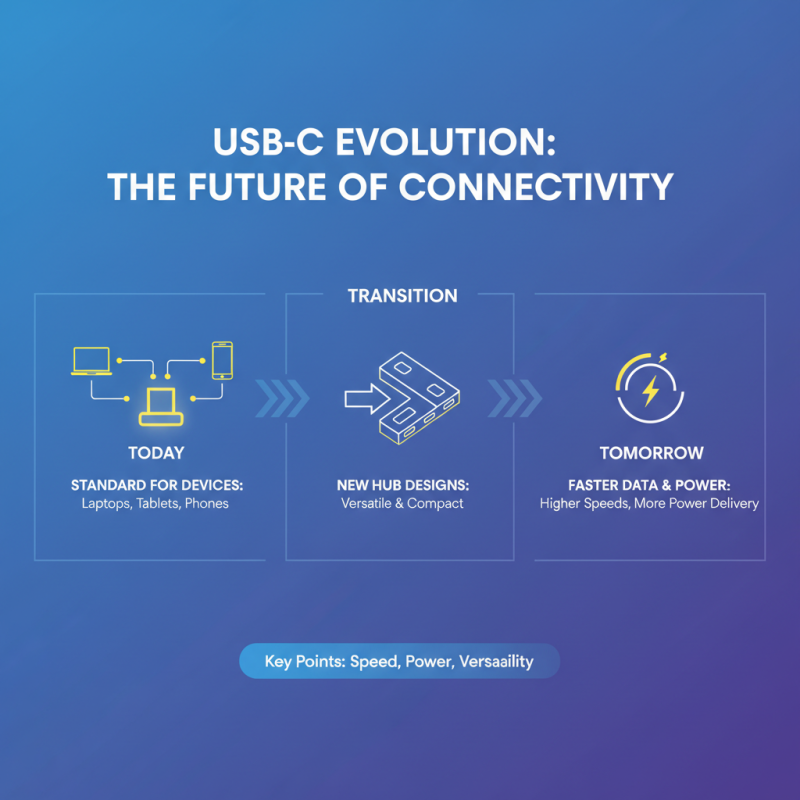
USB Type C technology is evolving rapidly. It is becoming the standard for many devices. More laptops, tablets, and phones now come with USB Type C ports. This shift is paving the way for innovative hub designs. Future hubs will likely offer faster data transfer speeds and higher power delivery.
Tips: Look for hubs that support USB Power Delivery (PD). This feature allows you to charge devices while using them. It enhances convenience and ensures your gadgets stay powered.
Another trend is the integration of additional features. Many hubs now provide HDMI, SD card slots, and Ethernet ports. Expect to see even more compact designs that pack multiple functions. However, not all hubs will be reliable. It’s essential to check compatibility with your devices.
Tips: Read reviews before purchasing a hub. User experiences can highlight potential issues. Also, think about the build quality. A well-constructed hub will last longer. It's essential to be cautious when exploring new options.

 USB C Docking & Hub
 USB C Docking Station
 USB C Hub-H Series
 USB C Hub-H Series High End
 USB C Hub-X Series High End
 HDMI Cable
 4K HDMI Cable
 8K HDMI Cable
 16K HDMI Cable
 AOC HDMI Cable
 HDMI Conversion Cable
 8K DisplayPort Cable
 16K DisplayPort Cable
 DisplayPort Conversion Cable
 XLR Cable
 VGA Cable
 DVI Cable
 Type C To HDMI
 Type C to DP
 Type C to DVI
 Type C Adapter
 USB A to C Cable
 USB C to C Cable
 Micro USB Cable
 USB4 Cable