Why Choose a USB Type C Hub Adapter for Your Devices?
In the modern age of technology, connectivity is key. The USB Type C Hub Adapter has become essential for many users. It offers versatile solutions for our daily digital needs. Various devices now feature USB Type C ports, allowing for streamlined connections. A USB Type C Hub Adapter can expand a device's capabilities significantly. You can connect multiple peripherals easily, including monitors, keyboards, and external drives.
Compatibility is crucial in today's fast-paced world. This adapter bridges gaps between different technology standards and devices. It enhances productivity by allowing users to multitask seamlessly. Imagine working on a laptop and having an additional monitor connected, all through a single hub. However, not all adapters are created equal, and some may lack reliability. Users should research before making a decision. Choosing a reputable brand can lead to a more satisfying experience.
While the USB Type C Hub Adapter can make life easier, it does come with challenges. Users may encounter issues with driver compatibility or stability. It’s important to reflect on specific needs before purchasing. Remember, the perfect adapter exists, but it may take time to find it. Embracing the right technology will simplify your digital life.
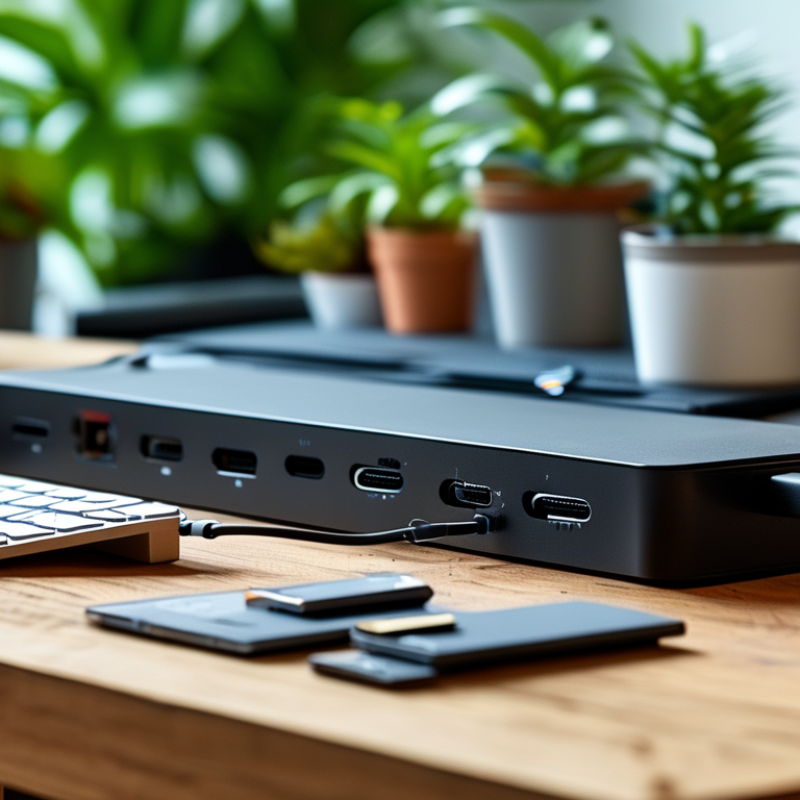
Benefits of Using a USB Type C Hub Adapter for Connectivity
USB Type C hub adapters have gained significant popularity as connection tools for various devices. According to a report by IDC, over 1.5 billion USB Type C devices were shipped in 2022. This statistic reflects the growing trend towards adopting USB Type C technology across laptops, smartphones, and peripherals.
One primary benefit of using a USB Type C hub adapter is its versatility. Users can connect multiple devices simultaneously. For instance, a hub can provide HDMI output for video, USB ports for peripherals, and Ethernet connections for stable internet access. This is particularly beneficial for professionals working in remote setups. A study from Futuresource suggests that nearly 70% of remote workers prefer using multiple screens and devices to enhance productivity.
However, while the advantages are clear, there are challenges to consider. Not all USB Type C devices support every feature, like power delivery or data transfer speeds. Some hubs may not deliver enough power for high-performance laptops. This inconsistency can lead to frustration. Users must research compatibility and specifications before purchasing. Embracing the USB Type C hub adapter can improve connectivity but requires careful selection to maximize its benefits.
Compatibility with Various Devices and Platforms
When considering a USB Type C hub adapter, compatibility stands out as a crucial feature. This type of hub can connect a wide range of devices, making it a versatile solution for many users. According to a report by the International Data Corporation (IDC), over 80% of laptops sold in 2021 featured USB Type C ports, indicating a shift in technology. This means that many new devices, including laptops, tablets, and smartphones, are designed with USB Type C in mind.
Furthermore, the demand for cross-platform compatibility is rising. A study by Statista reveals that more than 45% of users own multiple devices from different brands. USB Type C hubs cater to this need, allowing seamless connections between devices that use different operating systems, such as Windows, macOS, and Android. This flexibility highlights an important advantage of using a USB Type C hub adapter. Some users, however, report challenges in syncing certain devices or achieving full functionality. Technical restrictions can occur, particularly with older hardware that lacks support for advanced features.
Ultimately, while the benefits are significant, the experience can vary. This inconsistency calls for users to consider their specific needs. Researching compatibility before making a purchase can lead to a more satisfying experience with USB Type C hubs.
Different Types of USB Type C Hubs and Their Features
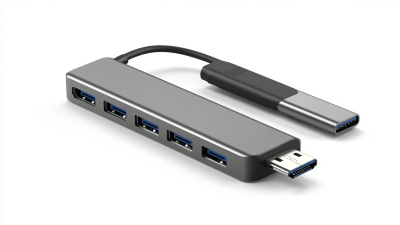
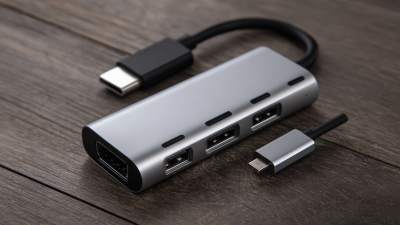
USB Type C hubs come in different formats. Each type offers unique features catering to diverse user needs. A standard hub typically includes multiple USB-A ports, HDMI outputs, and SD card slots. This configuration is ideal for professionals who require easy connectivity to multiple devices. High-speed data transfer is also a significant advantage, with many hubs capable of supporting USB 3.1 speeds, reaching up to 10 Gbps, enhancing productivity.
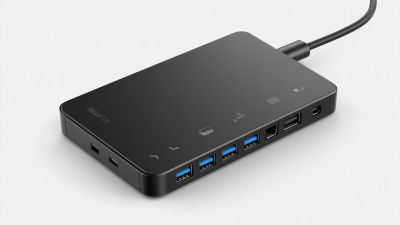
Another popular type is the docking station variant, which often features additional ports like Ethernet and DisplayPort. Such versatility is valuable for office setups where multiple monitors are used. Research shows companies that utilize multi-monitor setups can increase productivity by 42%. However, it's essential to consider power delivery options since not all hubs support charging devices while in use.
Tip: When choosing a USB hub, inspect for compatibility. Not all hubs support every device seamlessly.
Wireless USB hubs present a different approach, eliminating physical connections. They can connect to various devices simultaneously but may have limitations, such as reduced speed. Reflection on your actual needs is critical. Assess whether wired or wireless connectivity suits your workflow better.
Tip: Always check customer reviews for reliability and performance before making a purchase.
USB Type C Hub Adapter Features Comparison
Enhanced Data Transfer Speeds and Power Delivery Options
USB Type C hubs are a game changer for device connectivity. These hubs enhance data transfer speeds significantly. With upgraded technology, users can experience faster file transfers. This is essential for professionals who deal with large files regularly.
Power delivery options are another crucial aspect. Many USB Type C hubs support increased power output. This means devices can charge while transferring data. It solves one of the most common device usability challenges: low battery during intensive tasks. Think about how frustrating it is to juggle charging and working. A hub simplifies this greatly.
Tips: Always check compatibility before purchasing a hub. Not all USB Type C devices support every feature. Also, consider a hub with multiple ports. This allows for easier multitasking without constant unplugging. Remember to keep your software updated to maximize performance.
Considerations When Choosing the Right USB Type C Hub Adapter
When selecting a USB Type C hub adapter, consider the number of ports you need. A hub with multiple USB ports, HDMI, and audio jacks can enhance your experience. Think about the devices you connect. If you frequently switch between a laptop and tablet, a versatile adapter is essential.
Ensure the adapter supports fast data transfer rates. Look for specifications that mention USB 3.0 or higher. This guarantees quicker file transfers. What about charging capabilities? A hub that allows pass-through charging can save you from multiple cables.
Before making your decision, research the build quality. A well-constructed hub is likely to withstand daily use. User reviews can provide insight. However, remember that not all feedback is reliable. Test the product when possible. A small investment in a dependable hub can significantly improve your tech setup. Don't overlook these details.

 USB C Docking & Hub
 USB C Docking Station
 USB C Hub-H Series
 USB C Hub-H Series High End
 USB C Hub-X Series High End
 HDMI Cable
 4K HDMI Cable
 8K HDMI Cable
 16K HDMI Cable
 AOC HDMI Cable
 HDMI Conversion Cable
 8K DisplayPort Cable
 16K DisplayPort Cable
 DisplayPort Conversion Cable
 XLR Cable
 VGA Cable
 DVI Cable
 Type C To HDMI
 Type C to DP
 Type C to DVI
 Type C Adapter
 USB A to C Cable
 USB C to C Cable
 Micro USB Cable
 USB4 Cable