How to Choose the Best USB Hub for Mobile Phones?
Choosing the right USB hub for mobile phones can be a daunting task. With various options available, finding the best one requires careful consideration. A USB hub for mobile phones enhances connectivity and improves device optimization. However, many users overlook essential features.
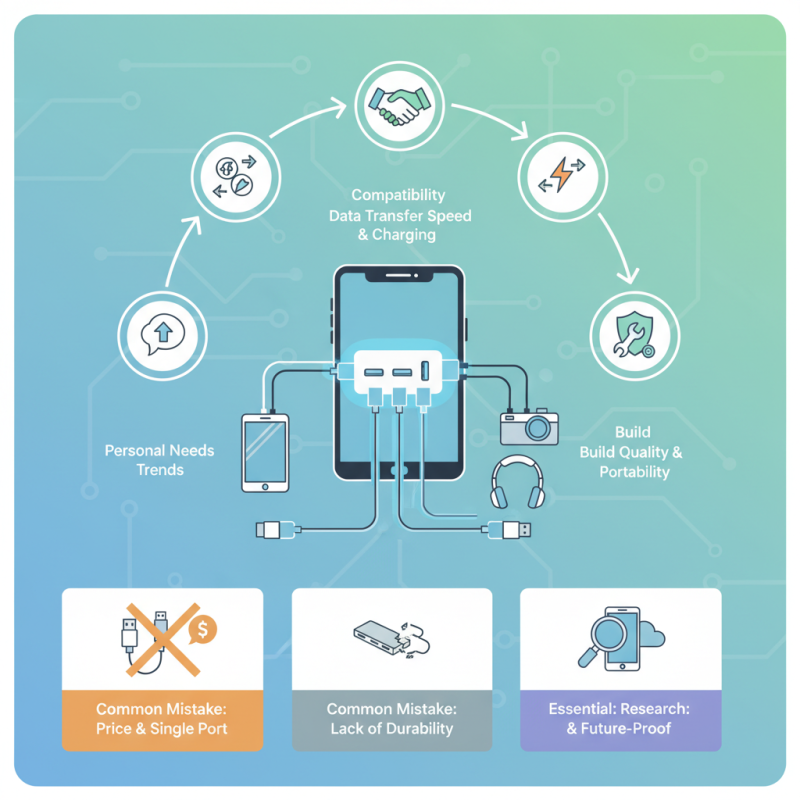
When evaluating a USB hub, compatibility is crucial. Many users focus solely on price and design, missing the importance of data transfer speed and charging capabilities. A reliable hub should support fast charging and provide multiple ports to connect various devices seamlessly.
Another common mistake is neglecting the hub's build quality and portability. Many USB hubs lack durability and fail under frequent use. Investing in a robust and compact design ensures longevity and ease of transport, making it convenient for on-the-go users. As mobile phone technology advances, choosing the best USB hub requires keeping up with trends and understanding personal needs.
Understanding USB Hub Types Compatible with Mobile Phones
When selecting a USB hub for mobile phones, understanding the various types is crucial. USB hubs generally fall into two main categories: powered and unpowered.
Powered hubs draw energy from an external source. They are preferable for devices needing more power, like external storage drives. Unpowered hubs rely solely on the power from the phone and are suitable for low-energy devices, such as mice or keyboards. According to a market research report by Technavio, the global USB hub market is expected to grow significantly over the next four years, highlighting the increasing demand for efficient connectivity solutions.
One notable factor is the number of ports. Mobile users often require multiple connections. A hub with at least three to four ports can significantly enhance productivity. Opt for USB 3.0 or higher to ensure faster data transfer speeds. This information aligns with findings from the USB Implementers Forum, which states that USB 3.0 can transfer data up to 5 Gbps. Consider your typical device usage. If you frequently connect additional peripherals, a more versatile hub is essential.
Tips: Ensure compatibility with your phone's USB version. Some hubs may not work with older devices. Verify the hub's data transmission capabilities. A lack of appropriate specifications can lead to frustration. Always read user reviews. Experience from other users can inform your purchase and prevent potential pitfalls.
Key Features to Consider When Choosing a USB Hub
Choosing the right USB hub for mobile phones involves understanding key features that will enhance connectivity and usability.
Start with the number of ports. A hub with multiple ports can charge and connect several devices at once. Look for USB-C and traditional USB-A options to cover a wide range of devices.
Power delivery is another critical aspect. Ensure the hub offers sufficient power for fast charging. Hubs with power delivery (PD) can charge your phone quickly, even while you're using it. This feature is especially beneficial for heavy smartphone users who rely on their devices throughout the day.
Tips: Always check the transfer speed. A hub with USB 3.0 or higher will provide faster data transfers. If you store large files, speed matters.
Consider the hub’s design as well. Compact and portable hubs are easier to carry, especially if you're frequently on the go.
Also, ensure compatibility with your device's operating system. Some hubs may have limitations with certain operating systems. If unsure, customer reviews can provide insights into real-world performance.
It's essential to choose a reliable hub to avoid issues in connectivity later on.
Assessing Power Delivery Options for Mobile Device Charging
When selecting a USB hub for mobile device charging, power delivery options are crucial. A recent industry report highlights that over 70% of consumers prefer hubs that support fast charging. This indicates a growing demand for efficient charging solutions. Many mobile devices now come with fast charging capabilities, and hubs must keep pace.
Power delivery specifications vary widely among USB hubs. Some hubs offer 18W output, while others go up to 100W. Users often overlook the compatibility between their devices and the hub’s power output. Misalignment can lead to slow charging or, in some cases, device damage. It's essential to check both the hub's output and the device's charging needs.
Moreover, the reliability of power delivery impacts user experience. Data suggests that 30% of users encounter issues with inconsistent power supply. Fluctuating power can lead to device overheating or battery degradation. Therefore, choosing a hub with robust power delivery features is vital. Users should seek hubs with built-in protections against overcharging and overheating.
How to Choose the Best USB Hub for Mobile Phones? - Assessing Power Delivery Options for Mobile Device Charging
| USB Hub Model |
Number of Ports |
Power Delivery (PD) Support |
Charging Output (Watts) |
Data Transfer Speed (USB Standard) |
| Model A |
4 |
Yes |
60W |
USB 3.0 |
| Model B |
7 |
Yes |
100W |
USB 3.1 |
| Model C |
5 |
No |
30W |
USB 2.0 |
| Model D |
6 |
Yes |
87W |
USB 3.1 Gen 2 |
Evaluating Data Transfer Speeds and USB Standards
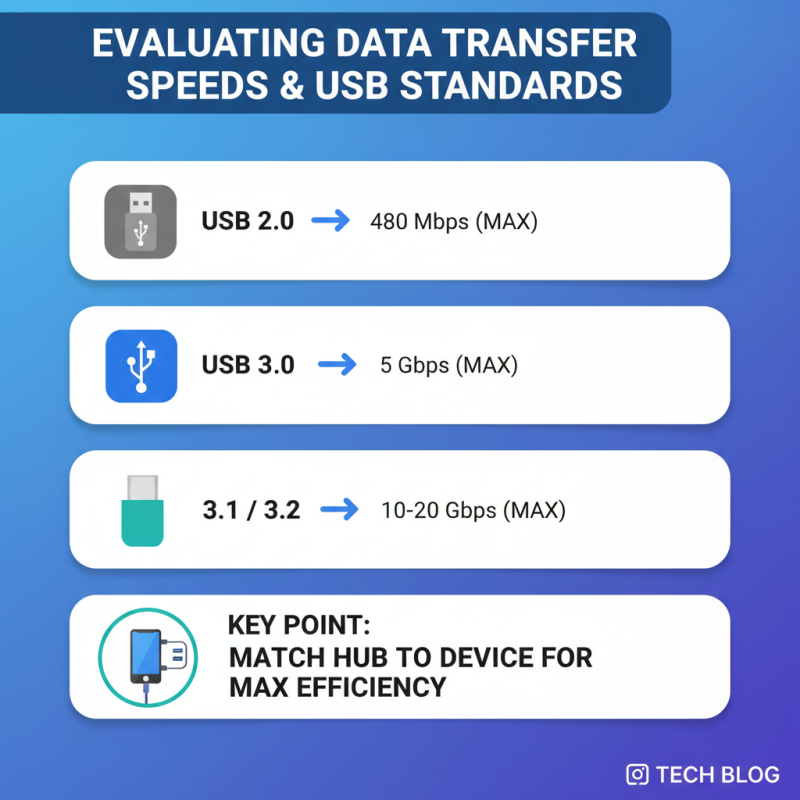
When choosing a USB hub for mobile phones, understanding data transfer speeds is crucial. Different USB standards offer varying transfer rates. USB 2.0 has a maximum speed of 480 Mbps, while USB 3.0 can reach 5 Gbps. USB 3.1 and USB 3.2 push this further, offering speeds up to 20 Gbps. It’s essential to match the hub with your device’s capabilities to maximize efficiency.
Consider the types of files you will be transferring. Large video files or high-resolution images require faster speeds. A slower connection can lead to frustrating delays. Look for hubs that support the latest USB standards to ensure future compatibility. However, overestimating your needs may lead to overspending. Evaluate your usage before committing to a premium model.
Pay attention to the quality of the hub. Not all devices maintain consistent speeds. Cable length and construction can affect performance. Testing various hubs can provide real-world insight. Be critical of advertised speeds; they may not always reflect everyday use. Trust your experiences to guide your choice, and ensure you select a hub that fits your work style.
Compatibility Check: Ensuring Hub Works with Your Mobile Phone Model
When choosing a USB hub for mobile phones, compatibility is crucial. Not all hubs work seamlessly with every mobile phone model. Start by checking the specifications of your phone. Look for details regarding USB standards, such as USB-C or USB-A. Ensure the hub supports the same standard to avoid issues.
Many phones require specific features from a hub. For example, do you need fast charging? Some hubs cater specifically to that need. Also, consider how many ports you actually require. A hub with too many ports might not be efficient for your device if it doesn’t support multi-device management well.
Tips: Always check user reviews. They can reveal compatibility issues you might not find in the specifications. Testing the hub with your phone before a full purchase can save a lot of hassle. Look for hubs that offer warranty or return options, as not all devices function together. Be aware that sometimes, even the right model might not perform well.
USB Hub Compatibility with Mobile Phone Models

 USB C Docking & Hub
 USB C Docking Station
 USB C Hub-H Series
 USB C Hub-H Series High End
 USB C Hub-X Series High End
 HDMI Cable
 4K HDMI Cable
 8K HDMI Cable
 16K HDMI Cable
 AOC HDMI Cable
 HDMI Conversion Cable
 8K DisplayPort Cable
 16K DisplayPort Cable
 DisplayPort Conversion Cable
 XLR Cable
 VGA Cable
 DVI Cable
 Type C To HDMI
 Type C to DP
 Type C to DVI
 Type C Adapter
 USB A to C Cable
 USB C to C Cable
 Micro USB Cable
 USB4 Cable