What is a Hub USB 2.0 and Why Do You Need One?
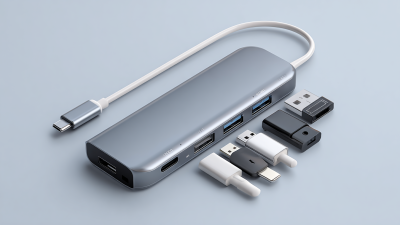
In today's digital landscape, the Hub USB 2.0 has become a pivotal accessory for tech enthusiasts and everyday users alike. According to a report by the International Data Corporation (IDC), USB hubs are expected to see a growth of 7% annually, reflecting their rising necessity in our interconnected world. The Hub USB 2.0 allows users to expand their device connectivity, accommodating multiple peripherals from keyboards to external drives seamlessly.
Despite its advantages, some users remain unaware of the Hub USB 2.0's full potential. Many overlook the increased efficiency it brings to data transfer, which can sometimes reach speeds of 480 Mbps under optimal conditions. However, it’s essential to recognize that not all USB hubs are created equal. Factors such as compatibility and power supply should be carefully considered to ensure a smooth user experience. The Hub USB 2.0 is vital for anyone seeking to enhance their digital workspace, but understanding its limitations is equally crucial for optimal performance.
Understanding USB 2.0 Technology and Its Features
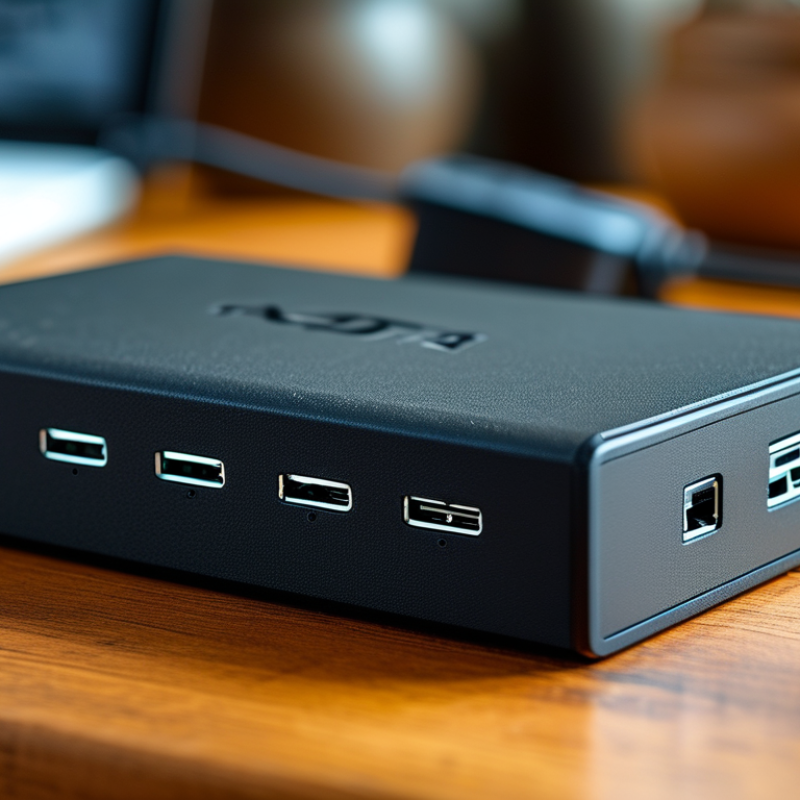
USB 2.0 technology is an essential feature for many devices. Launched in 2000, it offers a maximum data transfer rate of 480 Mbps. This speed allows for quick downloads and uploads of files. USB 2.0 also supports various devices, from flash drives to printers. This versatility makes it valuable for both home and office use.
One significant advantage of USB 2.0 is its plug-and-play capability. Users can connect devices without needing to install drivers. This feature simplifies the connection process. However, USB 2.0 is not without its drawbacks. While it has good speed, it can lag behind newer technologies like USB 3.0. Users may experience slower transfer rates with large files. It's crucial to assess your needs before choosing a USB hub. An outdated hub may limit your device's performance.
Despite its limitations, USB 2.0 remains widely used. Many computers and peripherals still rely on this standard. It continues to provide reliability in a world of rapidly evolving technology. Understanding USB 2.0 features helps users make informed decisions.
What is a Hub USB 2.0 and Why Do You Need One? - Understanding USB 2.0 Technology and Its Features
| Feature |
Description |
Benefit |
| Data Transfer Speed |
Up to 480 Mbps |
Faster file transfers compared to USB 1.1 |
| Number of Ports |
Typically 4 to 7 |
Connect multiple devices at once |
| Compatibility |
Supports USB 1.1 and USB 2.0 devices |
Flexible usage with existing devices |
| Power Supply |
Bus-powered or powered via adapter |
Ensures devices receive sufficient power |
| Hot Swappable |
Devices can be added/removed without restarting |
Convenience in connecting peripherals |
| Cable Length |
Up to 5 meters for reliable performance |
Flexible device placement |
How a USB Hub Expands Your Connectivity Options
A USB hub is a device designed to expand connectivity options for your devices. In today's technology-driven world, the need for multiple ports is critical. According to a report by the Consumer Technology Association, about 70% of households in the U.S. own multiple USB devices, from smartphones to printers. This high ownership leads to frequent issues when there aren’t enough ports available.
When using a USB hub, you're able to connect several devices simultaneously. This setup is essential for productivity, especially in a work-from-home environment. The average worker can see a productivity increase of up to 20% when they utilize efficient connectivity options, such as a USB hub. However, it’s important to note that not all hubs provide the same performance. Some might have limitations in speed or power delivery.
Users may sometimes overlook the quality of their USB hubs. This can lead to frustrating experiences. Power-intensive devices may require a hub with an external power supply. On the other hand, a passive hub may not support devices needing more energy. Research shows that about 30% of users report connectivity issues tied to inadequate power or data transfer rates. Hence, careful consideration of a USB hub's specifications is necessary for optimal functionality.
USB Hub Connectivity Options
This bar chart illustrates the characteristics of a typical USB 2.0 hub, including the number of ports available, the number of devices it can connect, the maximum data transfer speed, and the power supply capabilities. These features highlight how a USB hub can expand your connectivity options effectively.
The Advantages of Using a USB Hub for Multiple Devices
A USB Hub 2.0 offers a practical solution for managing multiple devices. With various ports, it allows simultaneous connections. This convenience is essential for professionals and everyday users alike. Imagine needing to charge a phone, connect a keyboard, and transfer data from an external drive. A hub handles this seamlessly.
Using a USB hub can also enhance productivity. You can expand your workspace by connecting various accessories. This reduces cable clutter, making your area look neat. Furthermore, hubs often provide power saving options. Some may need careful consideration to know the power requirements of each connected device. Not all hubs manage power efficiently, which could lead to underperformance.
It's crucial to choose a USB hub suited to your needs. Evaluate the number of devices you use regularly. A hub that meets your demands can save you time and frustration. However, not every hub delivers the same performance. Researching options and user experiences is vital for making an informed choice.
Choosing the Right USB 2.0 Hub for Your Needs
When choosing the right USB 2.0 hub, consider your specific needs. Think about how many devices you connect simultaneously. Do you often use flash drives, printers, and keyboards together? An ideal hub should accommodate all your devices without overcrowding ports.
The design matters too. A compact hub can save space on your desk. Yet, a larger hub may provide more USB ports and additional features, such as power output. You need to weigh both functionality and aesthetics. How do these elements fit in your setup?
Moreover, check the build quality. A well-made hub lasts longer and works reliably. However, cheaper options may be tempting but can lead to frustration, especially if they fail during crucial tasks. Reflect on how much ease of use and reliability means to you.
Common Uses and Applications of USB 2.0 Hubs in Everyday Life
USB 2.0 hubs serve essential roles in our daily tech interactions. They expand a single USB port into multiple connections. This is crucial for users with limited ports, allowing multiple devices to connect simultaneously. Everyday items like keyboards, mice, and external drives can all connect through a hub. This simple device can make workspaces tidier and more efficient.
Many people often overlook the benefits of USB hubs. They are especially useful for laptops with just a few ports. Various devices can be charged or connected without needing to unplug others. As technology evolves, more devices require USB connections, making hubs indispensable. Nevertheless, users may face speed limitations since USB 2.0 has slower transfer rates compared to its successors. It’s essential to assess whether the speed meets individual needs before integrating a hub into one's setup.
The portability of USB hubs enhances their appeal for traveling professionals. They can easily fit into a bag, allowing seamless connections on the go. However, it's worth reflecting on the quality of the hubs being used. Not all USB hubs are created equal, and using a low-quality hub can lead to connectivity issues or even damage to devices. Thus, conducting thorough research before purchasing can ensure a reliable addition to your tech collection.

 USB C Docking & Hub
 USB C Docking Station
 USB C Hub-H Series
 USB C Hub-H Series High End
 USB C Hub-X Series High End
 HDMI Cable
 4K HDMI Cable
 8K HDMI Cable
 16K HDMI Cable
 AOC HDMI Cable
 HDMI Conversion Cable
 8K DisplayPort Cable
 16K DisplayPort Cable
 DisplayPort Conversion Cable
 XLR Cable
 VGA Cable
 DVI Cable
 Type C To HDMI
 Type C to DP
 Type C to DVI
 Type C Adapter
 USB A to C Cable
 USB C to C Cable
 Micro USB Cable
 USB4 Cable