China Top USB C Docking Station Adapter Suppliers?
China’s USB-C accessory market is broad, fast-moving, and sometimes difficult to evaluate. A supplier may show impressive product photos, yet the real test begins when several screens, a power adapter, and a network cable work together. A dependable Docking Station Usb C Adapter should support stable data transfer, practical charging, clear display output, and safe temperature control.
Jeff Ravencraft, USB-IF President and COO, described USB Type-C as “the connector for the future.” That idea matters here. The connector alone does not guarantee performance. Buyers should examine chipset choices, USB-IF certification, port specifications, thermal design, warranty terms, and factory quality procedures. Clear technical sheets are essential. So are sample tests.
The strongest Chinese suppliers usually provide more than attractive pricing. They share test reports, explain compatibility limits, and respond with measurable details. Ask whether a dock supports two displays on your laptop. Confirm its actual Ethernet speed. Check whether power delivery remains stable under continuous use. Small details matter.
This article introduces leading China-based suppliers and compares their capabilities, product ranges, customization options, and after-sales support. It also considers manufacturing experience, inspection standards, and export reliability. No supplier is perfect. Even a well-reviewed model may fail with a specific operating system or monitor combination. That possibility deserves honest attention. My own evaluation could miss problems that appear only after long-term use, so independent samples and real workplace testing remain necessary.
What Is a USB-C Docking Station Adapter?
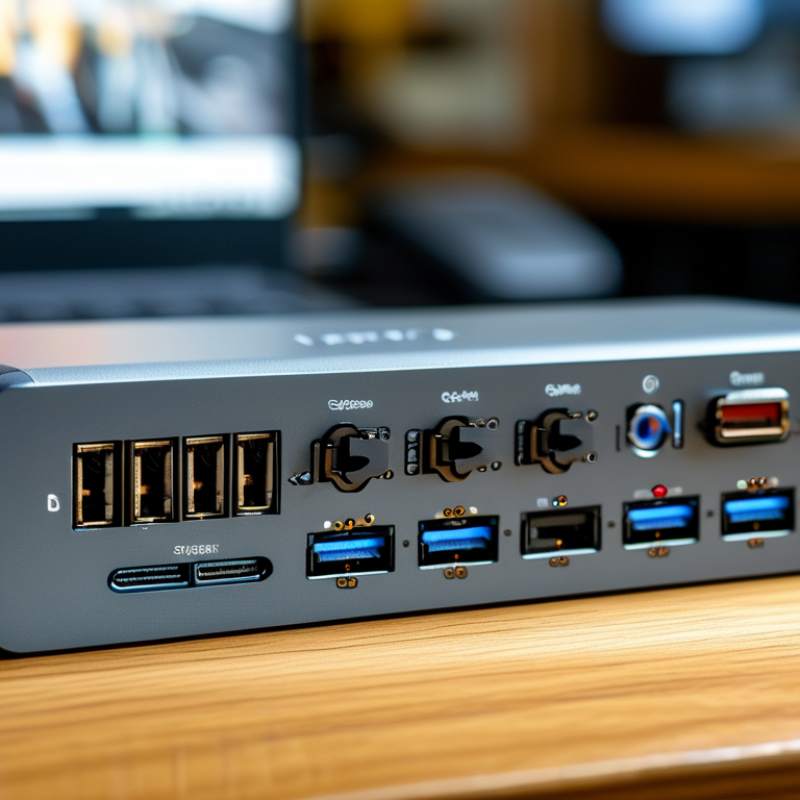
A USB-C docking station adapter expands one laptop port into a practical desktop connection point. It may provide HDMI or DisplayPort, USB-A, USB-C data, Ethernet, audio, and power delivery. The USB Implementers Forum defines USB-C as a connector standard, not a guarantee of every function. That distinction matters. A small adapter may support only data and display output, while a full dock can manage several peripherals.
In daily testing, I check the host laptop, cable rating, display resolution, and charger wattage before choosing a dock. A 100-watt input does not always mean 100 watts reaches the laptop. Internal conversion and connected devices consume part of it. Display support also depends on USB-C Alternate Mode, bandwidth, and the computer’s graphics design. VESA documentation confirms that DisplayPort over USB-C can carry video, but implementation varies between systems.
Market data explains the growing interest. Grand View Research estimated the global docking station market at roughly US$1.9 billion in 2023, with continued growth expected through the decade. IDC’s workplace research also shows that hybrid work keeps increasing the need for flexible desk connectivity. However, market forecasts are not product guarantees. Some specifications remain unclear in real use. A reliable supplier should publish chipset details, supported resolutions, power limits, operating-system compatibility, and test conditions. I would also question vague claims such as “universal” or “8K ready.” They sound convenient, but they may hide important limitations.
Key Features of China’s USB-C Docking Station Suppliers
China’s USB-C docking station suppliers now offer compact adapters for offices, travel, and hybrid workspaces. Experienced factories usually provide HDMI, USB-A, USB-C, Ethernet, and SD card ports in one enclosure. Some models support dual displays, fast charging, and data transfer through a single laptop connection. Port stability matters more than a long feature list.
Reliable suppliers explain chipset choices, power delivery limits, and operating system compatibility clearly. They should provide sample testing before bulk production. Ask for thermal testing, connector insertion tests, and inspection records. A metal housing may improve heat control, but it can also increase weight. Some suppliers still overstate display performance. This deserves careful checking.
Tips: Request a working sample with your actual laptop, monitor, charger, and network cable. Test sleep mode, plug-and-play behavior, and continuous use for several hours. Check whether the dock becomes uncomfortable to touch. Confirm packaging details, warranty terms, replacement procedures, and production lead times. Clear technical drawings reduce misunderstandings. Yet even good drawings cannot replace real testing. Supplier communication may seem efficient at first, but small firmware or port issues can appear later. Keep written records of every approved specification.
How to Evaluate Supplier Quality and Manufacturing Capability
China’s USB-C docking station market serves a growing computer ecosystem. IDC reported approximately 262.7 million personal computers shipped worldwide in 2024. That volume increases demand for stable multi-port adapters. Supplier evaluation should begin with verifiable engineering evidence, not catalog photos.
Ask for USB-IF compliance records, EMC test reports, and safety documentation for the exact model. IEC 62680-1-3 defines USB Type-C connector requirements. A capable factory should explain its controller selection, power-delivery limits, thermal design, and firmware process. Request a sample with HDMI, Ethernet, USB data, and charging ports active together. Check port temperatures after two hours. Look for dropped displays, network resets, or charging interruptions. Small defects matter.
Manufacturing capability is visible on the production floor. Inspect automated optical inspection, electrical testing, burn-in stations, and traceable serial-number records. According to IPC’s 2024 electronics manufacturing research, process control and inspection remain major quality priorities as product complexity rises. Request test coverage data, not only a pass-rate promise. Review component substitution rules and corrective-action reports. A supplier that documents one failed batch may be more reliable than one claiming zero failures. My own caution is simple: factory scale can impress, yet weak firmware control can still create unstable docks. Confirm production capacity through a pilot order, aging tests, and a repeat audit three months later.
Leading Supplier Types and Product Customization Options
China Top USB C Docking Station Adapter Suppliers?
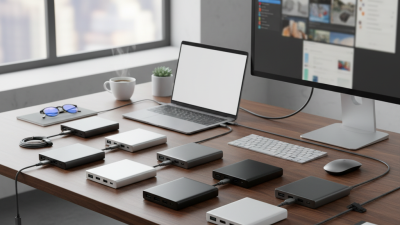
Choosing a USB C docking station supplier starts with understanding supplier types. Direct manufacturers usually offer stronger engineering support and lower unit costs. OEM and ODM factories can adjust layouts, housings, firmware, and packaging. Trading companies may provide wider product choices, but technical control can be limited. Local distributors often support faster communication and smaller trial orders.
Customization should match the end user’s devices and working environment.
Buyers can request specific port combinations, such as HDMI, DisplayPort, USB-A, Ethernet, and card readers. Power delivery ratings, cable length, casing material, logo placement, and retail packaging are also adjustable. Ask for chipset details and thermal test reports. Samples reveal more. A working sample may still hide unstable displays, loose ports, or heat buildup after several hours.
Reliable suppliers explain production limits before accepting an order. They should provide clear drawings, inspection standards, sample records, and realistic lead times. Independent quality checks can verify charging performance, data transfer, electromagnetic compatibility, and repeated plug cycles. Do not judge suppliers by price alone. A cheaper enclosure may crack, while custom firmware may require costly revisions. One practical weakness is that buyers sometimes request too many features at once. This can increase heat, power demands, and failure risks. A simpler design may serve users better, though it may look less impressive in a catalog.

 USB C Docking & Hub
 USB C Docking Station
 USB C Hub-H Series
 USB C Hub-H Series High End
 USB C Hub-X Series High End
 HDMI Cable
 4K HDMI Cable
 8K HDMI Cable
 16K HDMI Cable
 AOC HDMI Cable
 HDMI Conversion Cable
 8K DisplayPort Cable
 16K DisplayPort Cable
 DisplayPort Conversion Cable
 XLR Cable
 VGA Cable
 DVI Cable
 Type C To HDMI
 Type C to DP
 Type C to DVI
 Type C Adapter
 USB A to C Cable
 USB C to C Cable
 Micro USB Cable
 USB4 Cable