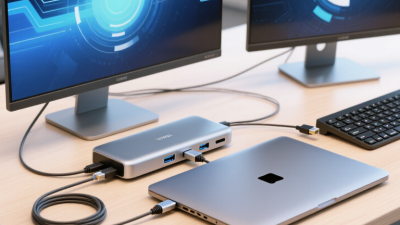
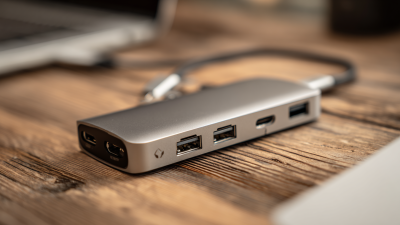
A USB-C dock can turn a laptop into a compact workstation, but choosing one is rarely as simple as counting ports. A useful Type C Docking Station For Laptop may need dual-display output, reliable charging, fast data transfer, and a sturdy case that stays cool during long work sessions. Small details matter. Port layout can affect cable clutter, while an underpowered adapter may limit charging when several devices are connected.
This guide introduces ten Type C docking station manufacturers in China and considers practical factors such as product range, interface options, customization, quality-control practices, and support for different laptop models. These points help buyers compare suppliers, but they do not replace checking a specific dock’s technical documentation. Compatibility can vary by laptop, operating system, and USB-C port capability. A dock that works well in one office may not suit another setup.
Look closely at supported display resolutions, power delivery, warranty terms, and available test reports before making a decision. Ask how the manufacturer handles samples and after-sales questions. A polished product page is not proof of dependable performance. And a long specification sheet can still leave questions unanswered. This comparison is a starting point, not a guarantee; buyers should verify current specifications and discuss their requirements directly with each manufacturer.
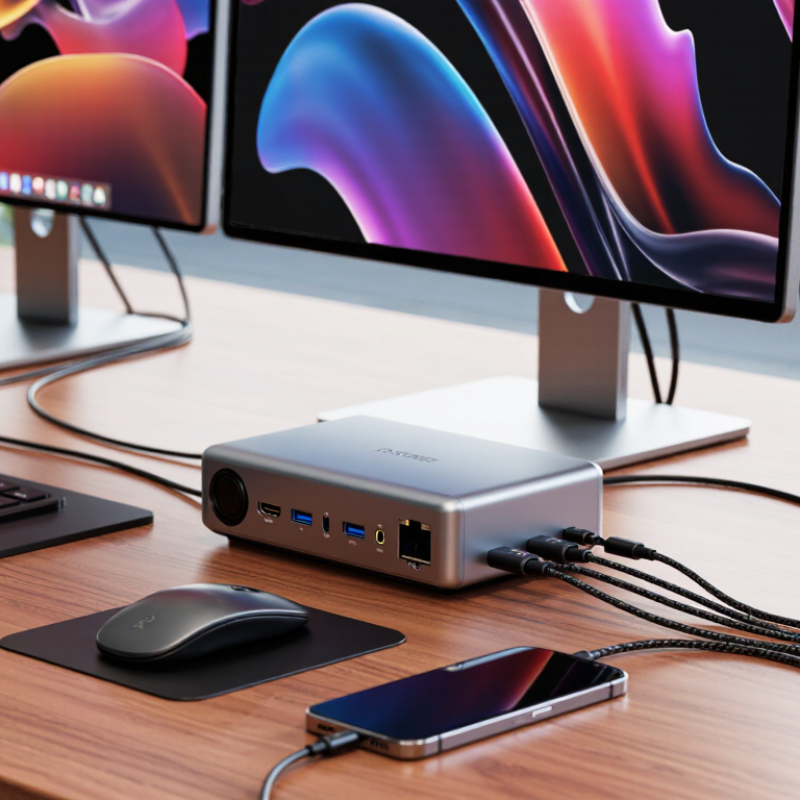
A Type-C docking station expands one laptop connection into a desk-side hub for monitors, networking, storage, and charging. The oval USB-C plug is only the connector; it does not guarantee every feature. A laptop must support the relevant data and video modes, and the dock must match them. Think of the dock as a traffic controller: its internal chips route data to USB ports, send video to displays, and negotiate power with the computer. Small detail, big difference.
Video may travel through DisplayPort Alternate Mode or USB4, while USB Power Delivery negotiates charging between the laptop and dock. The USB Implementers Forum’s USB4 Version 2.0 specification sets a maximum signaling rate of 80 Gbps, with an optional asymmetric mode reaching 120 Gbps in one direction. That figure is not the speed available to every port: displays and connected devices share the dock’s bandwidth. The catch? Specifications describe capability, not guaranteed performance.
For example, one cable can connect a laptop to a 4K monitor, wired network, keyboard, and charger. Yet display resolution and refresh rate depend on the laptop’s graphics support, dock design, and cable. Check the manufacturer’s compatibility table before buying. Even careful checks can miss a detail, such as a second display requiring a different video mode. USB-IF’s USB Type-C and USB Power Delivery specifications, alongside VESA’s DisplayPort standards, are useful references for confirming those capabilities.
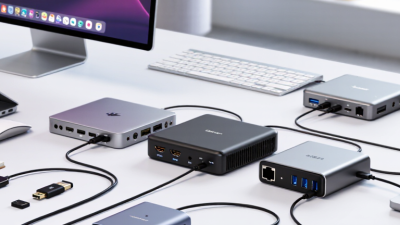
A USB-C docking station connects peripherals through a single USB-C port, but the connector alone does not determine performance. The maximum theoretical data rate depends on the USB standard supported by the host, dock, and cable; actual speeds may be lower. Video output also depends on supported display features and bandwidth.
Chinese docking station manufacturers are evaluated through engineering capability, production control, and evidence of real-world performance. A useful review starts with the product specification: port combinations, USB-C power delivery, display output, and supported data rates should be clearly stated. Claims should match test records, not just a sales sheet.
Compatibility testing matters. Ask whether samples have been checked with different laptops, monitors, chargers, and operating systems. A practical test includes several hours of video output and data transfer while monitoring heat and connection stability. Check whether the manufacturer keeps test logs and can explain failures. A polished sample can mislead.
Production quality is another key measure. Review inspection steps for ports, cables, power behavior, and casing; request evidence of repeatable checks across multiple units. Also assess component traceability, packaging accuracy, and how defects are handled after shipment. Response time matters. Clear engineering answers are more useful than quick promises. Still, a tidy factory tour cannot prove every batch is consistent. Buyers should compare independent samples, documents, and follow-up support before placing a large order.
China’s Type-C docking station market includes manufacturers with different strengths, from compact office hubs to multiport desktop docks. A useful top-ten comparison should look beyond product photos and advertised port counts. Buyers need to check chipset specifications, display support, power delivery, heat management, and compatibility with target laptops. Small details matter. A dock may offer several ports but still limit display resolution when multiple screens are connected.
Manufacturing capability is another key measure. Ask whether the supplier can provide clear test reports, sample units, stable production capacity, and responsive engineering support. Check connector durability and cable strain relief; these parts face daily wear. Confirm that power adapters and dock performance match the stated configuration. A polished catalogue is helpful, but it cannot replace sample testing. Even experienced buyers may miss a compatibility issue during a quick review, so test with the exact devices and monitors customers will use.
Tips: Request a sample and test every port under normal workload. Record display resolution, charging behavior, and temperature after several hours. Compare written specifications with the unit in hand.
China-based Type-C docking station manufacturers typically offer compact travel hubs and larger desktop docks. Common configurations include HDMI or DisplayPort outputs, USB-A ports, Ethernet, SD and microSD readers, audio jacks, and USB-C power input. Some factories also develop custom enclosures, port layouts, packaging, and firmware for business buyers. A sample dock may connect a laptop to two displays, wired internet, a keyboard, and a charging cable. Port count alone tells little.
Services often extend from engineering samples to tooling, testing, and volume production. Buyers can request compatibility checks, custom labeling, and support for different host computers. USB-IF technical specifications provide useful performance benchmarks: USB4 supports data rates up to 40 Gbps, while USB Power Delivery 3.1 supports power levels up to 240 W. Actual dock performance depends on the host, cable, display configuration, and power supply. A specification sheet can look impressive; real-world testing still matters.
Tips: Ask for a test report showing display resolution, data speed, and charging behavior under load. Check whether the quoted power includes what the dock consumes. Small detail, big difference. Also request samples before approving a large order; compatibility gaps are easy to miss.
Choosing a Chinese Type-C docking station manufacturer starts with defining the host devices, displays, and power requirements. USB-C describes a connector, not a guaranteed feature set; confirm data rates, display outputs, and USB Power Delivery limits in writing. Gartner reported 245.3 million worldwide PC shipments in 2024, up 1.3% year over year, in its January 2025 preliminary report. This broad PC base makes cross-device testing important, though it does not guarantee dock demand.
Ask for a compatibility matrix covering specific laptop models, operating systems, monitor resolutions, and charging loads. Review sample test reports for heat, port stability, and sleep-wake behavior. Check whether the factory can trace components and control production changes. A polished sample can hide inconsistent assembly. Visit or audit the production line when possible, and compare pilot-run units with approved samples. No checklist catches everything.
Tips: Ask for the chipset and firmware revision, not just a feature list. Test your own laptop and monitor for a full workday. Small details matter. If the supplier cannot explain a limitation clearly, treat that as a risk.
Use these ten technical and sourcing checks to compare manufacturers. The entries are evaluation criteria and specification facts, not a ranking of named companies or claims about individual suppliers.
| No. | Evaluation area | What to verify | Useful factual reference | Evidence to request |
|---|---|---|---|---|
| 1 | Host compatibility | Confirm the dock works with the intended laptop models and operating systems, and check which USB-C video and data features those hosts support. | A USB-C connector alone does not guarantee video output; the host must support a suitable video mode, such as DisplayPort Alt Mode or a compatible USB4/Thunderbolt connection. | A tested host compatibility list, connection diagrams, and test results for the target operating systems. |
| 2 | Power delivery | Check the dock’s power input, power adapter rating, and the maximum charging power actually delivered to the host under load. | USB Power Delivery 3.0 supports power levels up to 100 W; USB PD 3.1 Extended Power Range (EPR) supports up to 240 W. The dock, adapter, cable, and host must all support the required level. | Power profiles, adapter specifications, cable rating, and measured host charging performance with peripherals connected. |
| 3 | USB data bandwidth | Identify the speed of the upstream connection and each downstream USB port; verify whether advertised speeds can be maintained when ports are used simultaneously. | USB 3.2 Gen 2 supports signaling rates up to 10 Gbps; USB 3.2 Gen 2x2 supports up to 20 Gbps. Actual transfer rates are lower and depend on devices, cables, and shared bandwidth. | Port-by-port speed specifications and test results using representative storage devices and simultaneous workloads. |
| 4 | Display outputs | Check supported display count, resolution, refresh rate, color format, and whether the requirements apply to one monitor or multiple monitors together. | Display capability depends on the host GPU, video protocol, dock chipset, cable, and monitor. A port’s connector type alone does not establish its maximum resolution or refresh rate. | A resolution-and-refresh-rate matrix tested with the intended host configurations and simultaneous displays. |
| 5 | Port allocation and bandwidth sharing | Review the internal bandwidth allocation and any port-sharing limitations, especially when displays, storage, and network connections are active at the same time. | A dock’s available bandwidth is shared across its connection and internal components; the listed maximum speed of one port may not be achievable alongside every other function. | Block diagrams, chipset details, and multi-port workload test results. |
| 6 | Ethernet | Confirm whether the network port supports 1GbE or 2.5GbE and verify link negotiation, stability, and driver support with target systems. | Achievable network throughput also depends on the computer, network adapter, switch, cabling, network configuration, and traffic conditions. | Network-controller specifications and link or throughput test results on supported operating systems. |
| 7 | Card readers and audio | For SD or microSD slots, confirm supported card formats and measured read/write performance. Check audio functions and connector details if required. | Card-reader performance varies with the reader controller and card; a slot’s physical format does not by itself guarantee a particular transfer speed. | Supported-card information and test results using specified cards and file sizes. |
| 8 | Thermal and electrical design | Assess operating temperature, thermal behavior during sustained use, enclosure design, and protection against relevant electrical faults. | Power-dense docks can generate heat during operation; performance and component life should be evaluated under the intended ambient conditions and workload. | Thermal test conditions and results, protection-circuit details, and applicable safety test documentation. |
| 9 | Compliance and traceability | Check compliance requirements for the markets where the product will be sold and confirm that documents match the exact model and configuration. | Regulatory requirements vary by destination market and product design. A supplier’s general certificate should not be assumed to cover every dock model or region. | Model-specific declarations, test reports, product labels, and a process for tracking component or design changes. |
| 10 | Quality control and customization | Evaluate inspection steps, production traceability, sample approval, warranty handling, and the process for requested enclosure, cable, packaging, or port changes. | Lead times, minimum order quantities, and customization options vary by supplier, product design, component availability, and order terms; they should be confirmed in writing. | Quality-control plan, sample evaluation criteria, written quotation, production schedule, warranty terms, and change-control procedure. |