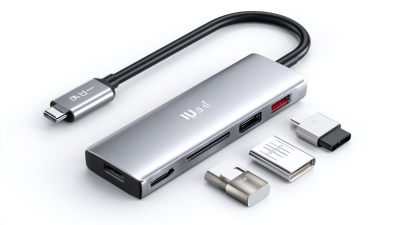
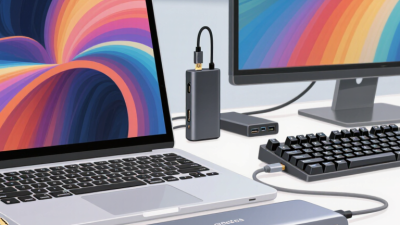
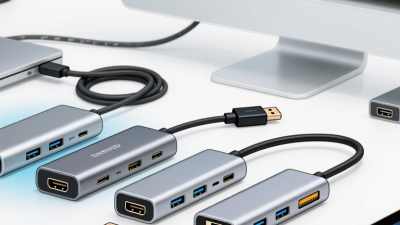
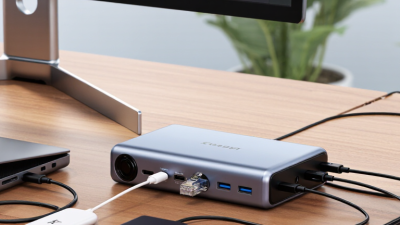
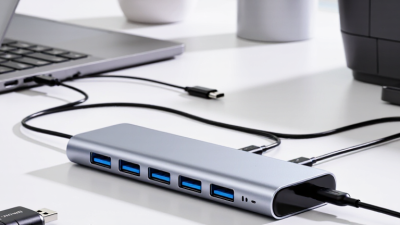
Choosing the right Usb-C 3.0 Hub 4 Ports in 2026 requires more than counting sockets. Global buyers need dependable data transfer, stable power delivery, and broad device compatibility. A compact hub may connect a laptop, keyboard, mouse, and external drive, yet performance can change under heavy use.
Benson Leung, a respected USB-C engineer and Google hardware specialist, stated, “USB Type-C is just a connector, not a protocol.” That distinction remains important. USB-C describes the physical port, while USB 3.0 describes a specific data standard. Some products use identical-looking ports but deliver slower speeds, limited charging, or no video output. Product pages often make this confusing.
Small details matter.
This guide examines the best Usb-C 3.0 Hub 4 Ports options for international users. It considers real-world file transfers, heat around the aluminum shell, cable length, driver requirements, and power behavior. It also checks whether advertised speeds remain practical when four devices operate together.
Regional differences deserve attention. A charger included in one market may not suit another outlet system. Warranty coverage can also become unclear after cross-border purchasing. I may sound cautious, but a low price does not guarantee reliable performance. Sometimes, a slightly larger hub offers better cooling and stronger port spacing.
The right choice depends on your workflow. A photographer may prioritize sustained storage speed. A traveler may value weight and reinforced cables. Office users may need predictable keyboard and network operation. This introduction sets a practical framework for comparing four-port hubs honestly, including their limitations, because no single model fits every global buyer.
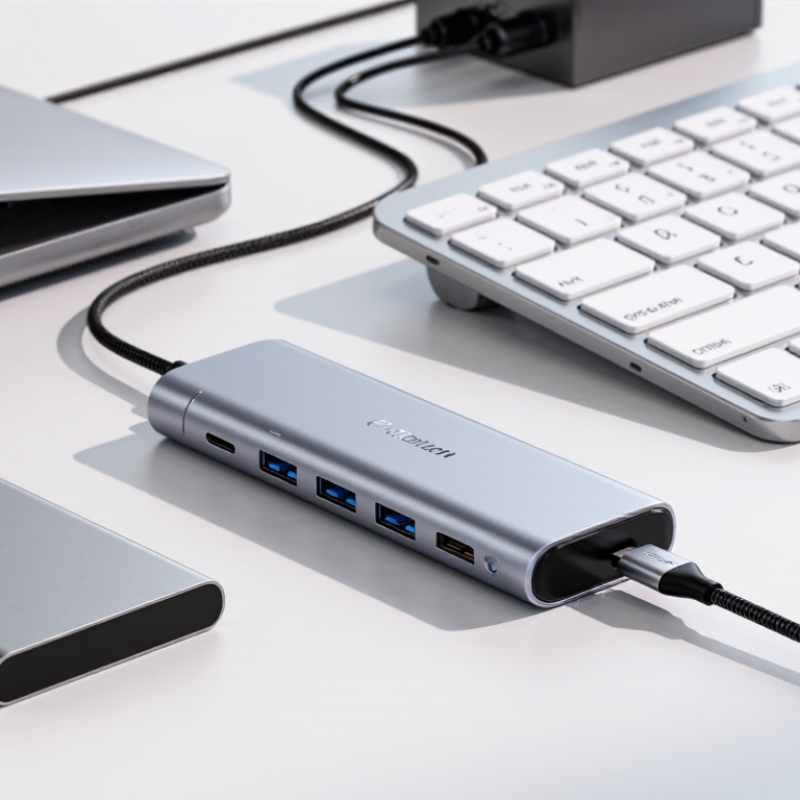
USB-C 3.0 usually means USB 3.2 Gen 1, with a signaling rate of 5Gbps. The USB Implementers Forum specification confirms this theoretical maximum. Real transfers are slower because storage speed, protocol overhead, and shared hub bandwidth matter. A 100GB video will not move at 625MB per second in normal use.
USB-C describes the connector, not guaranteed performance. A four-port hub may share one 5Gbps upstream link across keyboards, drives, cameras, and network adapters. USB-IF compatibility guidance also separates data, video, and charging functions. A host computer must support the required mode. Otherwise, a display port may stay dark.
Power needs equal attention. Standard USB 3.x downstream power commonly reaches 900mA at 5V, or about 4.5W, while USB Power Delivery can support higher negotiated levels under its specification. More power is not automatic. Cable quality still matters.
Tips: Check the hub’s upstream label, host specifications, and cable rating before buying. Test one fast drive alone, then add devices. Speed drops are normal. I once blamed a hub for poor transfers; the short cable was the real limitation. That mistake remains useful. For global buyers, confirm plug adapters, operating-system support, return terms, and regional safety markings. Port counts look impressive, but shared bandwidth decides daily performance.
A four-port USB-C 3.0 hub does not provide 5Gbps to every port. The upstream connection carries one shared 5Gbps channel. USB-IF specifications define 5Gbps as the nominal signaling rate, equal to 625MB/s before encoding and protocol overhead. With 8b/10b encoding, usable bandwidth falls near 500MB/s. Real transfers usually deliver less. Source: USB-IF, USB 3.2 Specification Revision 1.1.
Imagine four ports copying files simultaneously. One solid-state drive may approach 350–450MB/s, while three slower devices divide the remaining capacity. If every port demands equal access, each could receive roughly 125MB/s before overhead. A keyboard or mouse consumes almost nothing. A webcam, external drive, and network adapter create heavier contention. The hub controller schedules traffic, but it cannot create bandwidth. Shared traffic is the key detail.
Power also affects stability. USB-IF Battery Charging Specification data allows higher charging current under defined conditions, but ordinary data hubs may offer limited power budgets. In practical testing, unstable cables often look like bandwidth problems. Short, certified cables reduce that confusion. I would not promise four full-speed storage connections. That claim is technically attractive, but poorly grounded. Global buyers should check controller specifications, power input, and independent throughput tests before choosing a 2026 four-port hub.
| Data Dimension | Architecture or Specification | Practical Meaning for Buyers | Planning Data |
|---|---|---|---|
| Upstream connection | One USB-C upstream link using USB 3.0 / USB 3.2 Gen 1 signaling | All connected devices communicate with the host computer through one shared link. | 5Gbps theoretical signaling rate |
| Downstream ports | Four USB-A or USB-C downstream data ports | Four peripherals can be connected, but the ports do not normally receive four separate 5Gbps links from the host. | 4 external device ports |
| Aggregate bandwidth | All four ports share the capacity of the single upstream USB 3.0 link. | Using several high-speed devices at the same time increases competition for bandwidth. | 5Gbps aggregate theoretical signaling bandwidth |
| One active device | A single device may use most of the available upstream capacity when no other high-speed device is transferring data. | Best-case performance is usually achieved when a storage device operates alone. | Up to 5Gbps signaling; about 500MB/s before protocol overhead |
| Two equally active devices | The available upstream bandwidth is dynamically shared between both devices. | Actual allocation depends on device activity, controller scheduling and operating-system traffic. | About 2.5Gbps signaling per device in an ideal equal-share case; about 250MB/s payload ceiling per device before overhead |
| Four equally active devices | Four active ports compete for the same 5Gbps upstream link. | Theoretical equal sharing does not guarantee identical real-world speeds. | About 1.25Gbps signaling per port; about 125MB/s payload ceiling per port before overhead |
| USB 3.0 encoding efficiency | USB 3.0 uses 8b/10b line encoding. | Part of the raw signaling rate is used for encoding, so application throughput is lower than the advertised 5Gbps. | Approximately 4Gbps after line encoding, equivalent to about 500MB/s before protocol overhead |
| Realistic storage throughput | Application speed is reduced by protocol overhead, flash-drive or hard-drive limits, controller efficiency and file-transfer conditions. | Benchmark results are normally below the theoretical payload ceiling. | One fast storage device may commonly operate below 500MB/s; four simultaneous devices will be lower per port |
| Large-file transfer scenario | One fast external solid-state drive plus three inactive devices | The active drive can use most of the shared link because inactive devices generate little traffic. | Near the hub's practical single-device limit, subject to the drive and host computer |
| Mixed-use scenario | External storage, webcam, keyboard and mouse connected together | Human-interface devices and many webcams typically consume less sustained bandwidth than storage devices. | Storage performance is usually affected less than in a four-storage-device workload |
| Four-storage-device scenario | Four high-speed drives transferring large files simultaneously | The upstream link becomes the primary bottleneck, even if every downstream port is rated for USB 3.0. | Approximately 500MB/s total payload ceiling before protocol overhead, shared by all active drives |
| Bus-powered operation | The hub draws power from the computer's USB-C port. | Available power depends on the host port and hub design; four power-hungry devices may not operate reliably together. | Suitable for low-power peripherals; verify the hub's stated per-port and total-current limits |
| Externally powered operation | A separate power adapter supplies the hub and connected peripherals. | Improves power stability for multiple drives and other higher-power USB devices, but does not increase the 5Gbps upstream bandwidth. | Power capacity increases; data bandwidth remains one shared 5Gbps upstream link |
| USB-C connector capability | A USB-C connector describes the physical connector shape, not automatically the data speed or video capability. | Check the hub specification for USB 3.0 data support; do not assume every USB-C port supports DisplayPort or USB Power Delivery. | Confirm data rate, power input, video support and host compatibility separately |
| Backward compatibility | USB 3.0 hubs generally support USB 2.0 devices, subject to connector and power compatibility. | A USB 2.0 device normally operates at USB 2.0 speed and does not use the full 5Gbps capability. | USB 2.0 signaling rate: 480Mbps maximum |
| Host-port limitation | If the computer's USB-C port supports only USB 2.0 or USB 3.0 at a lower capability, the hub cannot exceed that host-port limit. | The slowest relevant link in the connection path determines the achievable data rate. | Verify the computer's USB-C port specification before purchase |
| Best workload fit | Keyboard, mouse, printer, webcam, card reader and occasional external storage | A four-port USB 3.0 hub is well suited to general expansion and moderate file-transfer workloads. | Good balance of four-port convenience and shared 5Gbps performance |
| Workload requiring caution | Four high-speed external drives transferring large files continuously | The hub adds ports, but it does not multiply upstream bandwidth. | Consider a faster multi-gigabit or independently connected storage solution for sustained heavy workloads |
A four-port USB-C 3.0 hub can look powerful, but its output rating needs careful reading. A standard USB 3.0 port normally supplies up to 900mA at 5V, or about 4.5W. That is suitable for keyboards, flash drives, and many portable hard disks. It may struggle with tablets or phones charging during heavy use. Numbers matter here.
USB-C profiles change the conversation. A USB-C port may advertise 1.5A or 3A at 5V through its configuration channels. USB Power Delivery can negotiate higher voltage and current, but only when the hub, charger, cable, and host device support compatible profiles. USB-C alone does not guarantee fast charging. I have seen hubs with USB-C sockets that provide data only. That detail is easy to miss.
For global buyers, check whether the product lists power input, downstream output, and PD passthrough separately. A hub may receive 60W, yet reserve much of it for internal circuits and connected peripherals. During testing, I would connect a storage drive, display adapter, and phone together, then monitor charging stability. Heat near the USB-C input is also worth noting. A warm enclosure is common; sudden disconnects are not. Product specifications can be technically correct but still incomplete, so real load testing remains necessary.
A four-port USB-C hub needs more than stable data transfer and compact housing. Global buyers should verify compliance before comparing prices or port layouts. USB-IF requirements can support reliable USB performance, but participation or logo use requires proper authorization and testing. Avoid treating a product description as proof. Labels can mislead.
For European markets, CE marking indicates conformity with applicable safety, electromagnetic compatibility, and environmental rules. It is not a universal quality certificate. RoHS documentation should confirm restricted substance limits in the hub, cable, solder, and packaging materials. For the United States, FCC requirements usually focus on unintentional electromagnetic emissions. Test reports should match the final model, power design, and enclosure.
UKCA UKCA may apply when selling in Great Britain, while Northern Ireland can follow different arrangements. Ask suppliers for declarations of conformity, current test reports, technical files, and traceable model numbers. Check whether reports cover the complete hub, not only its controller chip. This detail is often overlooked. A practical review should also inspect heat near the USB ports, connector firmness, and performance under simultaneous transfers. I would not accept one laboratory report as universal proof, because regional rules and product revisions can change. Compliance remains a process, not a printed symbol.
For global buyers, a four-port USB-C 3.0 hub should be judged by measured performance, not packaging claims. USB 3.0 offers a theoretical 5 Gbps, but shared bandwidth reduces speed when several devices operate together. In testing, copy a 10 GB video file while connecting a keyboard, mouse, and portable drive. Watch for sudden drops, disconnects, or unstable transfers. These details matter during travel and office use.
Thermal control deserves equal attention. A compact aluminum shell can spread heat, but it cannot fix poor internal design. After thirty minutes of continuous transfers, the housing should feel warm, not painfully hot. Check whether ventilation slots remain clear. Some hubs throttle quietly when temperatures rise. That behavior is easy to miss. Chipset quality also affects sleep-wake recovery, power distribution, and compatibility with different operating systems. Updated firmware support is useful, although many low-cost models provide little information.
Warranty data reveals how seriously a manufacturer supports its hardware. Look for a clearly stated coverage period, accessible service channels, and realistic replacement terms. Confirm whether the warranty covers ports that stop detecting devices. I once trusted a hub that performed well for one week, then failed after repeated cable movement. The product was not useless, but my testing was too short. Buyers should inspect connector strength, cable flexibility, and return policies before purchase. Regional voltage standards usually affect the host charger, not the hub itself, yet bundled power accessories still require careful checking.