Best Tips to Choose the Right USB Type C Hub Adapter?
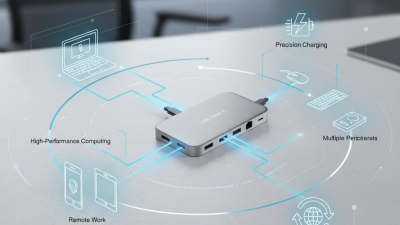
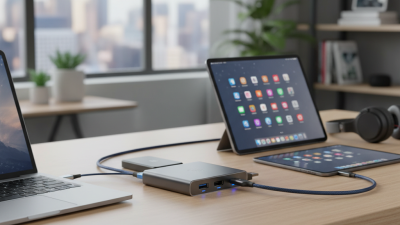
Choosing the right USB Type C Hub Adapter can greatly enhance your tech experience. With many options available, it’s crucial to select one that fits your needs. A superior adapter will allow seamless connectivity for multiple devices.
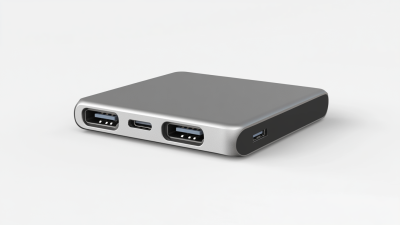
Consider the design and functionality of the USB Type C Hub Adapter. Look for a versatile model that supports various ports. This adaptability ensures your devices connect smoothly. Additionally, pay attention to transfer speeds. A high-speed adapter can save you valuable time when moving files.
Budget is another vital aspect. While high-quality options often come at a premium, it’s important to evaluate your specific needs. Aim for a balance between cost and functionality. Every detailed choice contributes to a reliable device that enhances productivity.
Best Tips for Selecting a USB Type C Hub Adapter: Key Considerations
When selecting a USB Type C hub adapter, consider the number of ports you need. Research suggests that most users prefer at least three USB-A ports along with an HDMI output. A report by Statista indicates the growth of USB-C compatible devices is projected to reach 1.3 billion units per year by 2025. This rising trend highlights the need for versatile connectivity options.
Another critical aspect is compatibility. The hub must support the devices you plan to connect. A survey conducted by TechHive found that 42% of users faced issues with compatibility. This can lead to frustration and wasted time. Check the specifications carefully. Power delivery capability is also essential. Many devices require a specific wattage for charging, so ensure the hub meets these requirements.
Lastly, consider the build quality. A sturdy design will enhance durability. Studies show that 35% of consumers report damage within a year of use due to poor construction. It’s worth investing time in research. A reliable product may save you money in the long run. Sometimes, lower-priced hubs fail to deliver on performance, leading to greater costs later on. Always weigh your options carefully before making a final decision.
Best Tips to Choose the Right USB Type C Hub Adapter
Understanding USB Type C Specifications: Data Transfer Rates and Power Delivery
When choosing a USB Type C hub adapter, understanding specifications is crucial. Data transfer rates can vary significantly. The fastest standard, USB 3.2, offers up to 20 Gbps. For most users, this speed is sufficient for various tasks. Slower standards like USB 2.0, however, only provide 480 Mbps.
Power delivery is another vital consideration. Many hubs can charge devices while transferring data. Some hubs support a maximum power output of 100W, enabling rapid charging for laptops. Make sure to check if your hub supports this feature. It's common to overlook this detail. If your hub cannot deliver enough power, you might end up with a charged device.
Not all adapters are created equal. Some may not deliver the expected performance. Real-world usage sometimes differs from specifications. Reading user reviews can offer valuable insights. Understanding these nuances leads to better choices. A well-informed decision enhances your experience with technology.
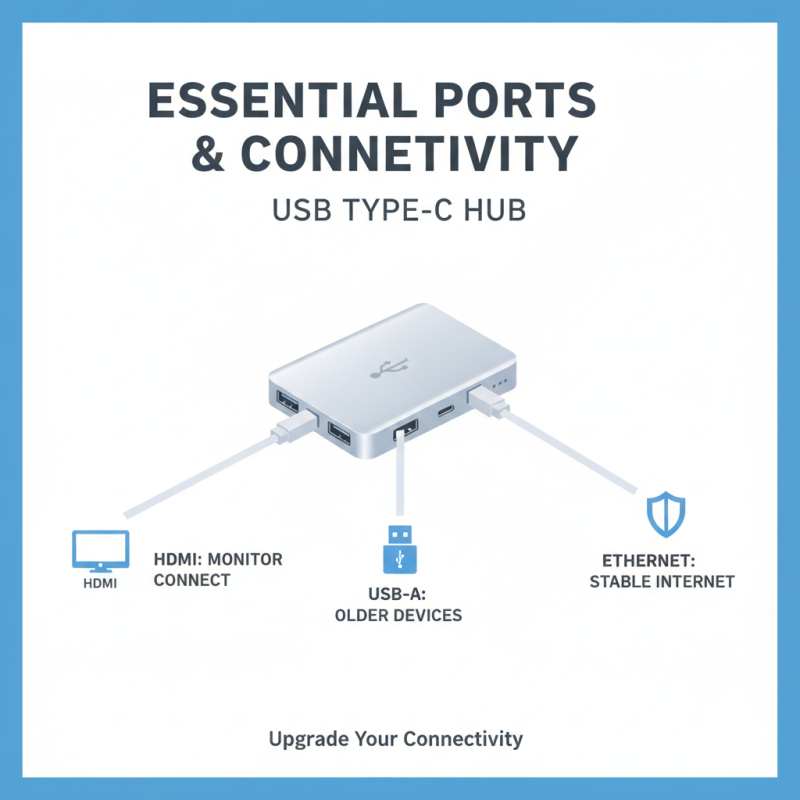
Essential Ports and Connectivity Options for Your USB Type C Hub
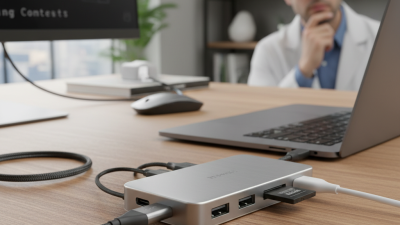
When selecting a USB Type-C hub adapter, consider the essential ports it offers. A well-rounded hub typically includes HDMI, USB-A, and Ethernet ports. HDMI allows you to connect to monitors easily. USB-A ports ensure compatibility with older devices. Ethernet connectivity provides a stable internet connection. Each port adds unique functionality to your device.
Think about your specific needs. Do you often present? An HDMI port is crucial. If you transfer files frequently, ensure there are enough USB-A ports. You might need a hub with additional features like SD card readers. Reflect on your usage scenarios; sometimes, less is more. A minimalist hub can reduce clutter and streamline your workspace.
Reliability is key. Look for products that emphasize compatibility across devices. Reviews can reveal long-term performance insights. However, don’t just follow the crowd. Test the hub yourself when possible. A hub's real-world performance can differ from its specifications. Prioritize your unique situation to find the best fit for your requirements.
Compatibility Factors: Ensuring Your Hub Works with Your Devices
When selecting a USB Type C hub adapter, compatibility stands out as a crucial factor. Many users overlook the need to ensure their hub works seamlessly with all devices. For example, nearly 30% of consumers report issues when connecting hubs to multiple brands. The reason often lies in different power delivery and data transfer capabilities.
It’s essential to check the specifications. Not all hubs support the latest protocols like Thunderbolt 3 or USB 3.2. Many laptops or smartphones may only utilize older standards. A study indicated that misalignment in compatibility could lead to inefficiencies, affecting performance by 20-30%. This degradation happens because mismatched data transfer rates can slow down overall device functionality.
Additionally, users should consider the hub’s power supply requirements. Some devices may not provide enough voltage, leading to inadequate charging. Reports show around 15% of users accidentally chose hubs that did not support their power needs, resulting in underperformance. This mismatch highlights the need for thorough research before purchase. Checking the power output and supported protocols of both the hub and the device will help avoid potential frustration and enhance user experience significantly.
Quality and Brand Reliability: What Industry Experts Recommend
When selecting a USB Type C hub adapter, industry experts often emphasize the importance of quality and brand reliability. A report from ResearchAndMarkets indicates that the global USB hub market is estimated to grow significantly, driven by rapid technological advancements and the demand for versatile connectivity solutions. However, choosing a reliable hub is crucial, as low-quality products may lead to data loss or device damage.
Quality matters. Look for hubs constructed with durable materials. They should support the latest USB specifications, such as USB 3.2 or Thunderbolt 3, ensuring faster data transfer speeds. Additionally, consider heat management features. A well-ventilated hub can prevent overheating during prolonged use.
Brand reliability is equally important. Consumers should research customer reviews and expert analyses before making a purchase. Some brands have built a reputation for quality over time, as reflected in industry data. Remember, not all high-priced hubs guarantee better performance. Investing in a hub from a reputed brand may save you from operational issues later on.

 USB C Docking & Hub
 USB C Docking Station
 USB C Hub-H Series
 USB C Hub-H Series High End
 USB C Hub-X Series High End
 HDMI Cable
 4K HDMI Cable
 8K HDMI Cable
 16K HDMI Cable
 AOC HDMI Cable
 HDMI Conversion Cable
 8K DisplayPort Cable
 16K DisplayPort Cable
 DisplayPort Conversion Cable
 XLR Cable
 VGA Cable
 DVI Cable
 Type C To HDMI
 Type C to DP
 Type C to DVI
 Type C Adapter
 USB A to C Cable
 USB C to C Cable
 Micro USB Cable
 USB4 Cable